Proviews ‑ Product Reviews Q&A
Legal Policies

Setup & Configuration
Additional Information
Installation Processes
Feature Policies & Guidelines


Question Answer Interface of Proviews – Product Reviews Q&A
Aug 27, 2026
Overview
The Q&A interface gives you full control over every customer question submitted across your product pages. Answer questions, control their visibility, and moderate unwanted content, all from a single dashboard. Handled well, product Q&A directly improves your store's conversion rate and customer trust.
Lower Bounce Rate: Clear product information keeps shoppers engaged and reduces drop-off.
Higher Conversions: Around 20% of customers abandon purchases due to unanswered product questions.
Increased Sales: Proactive, accurate answers build confidence and directly support revenue growth.
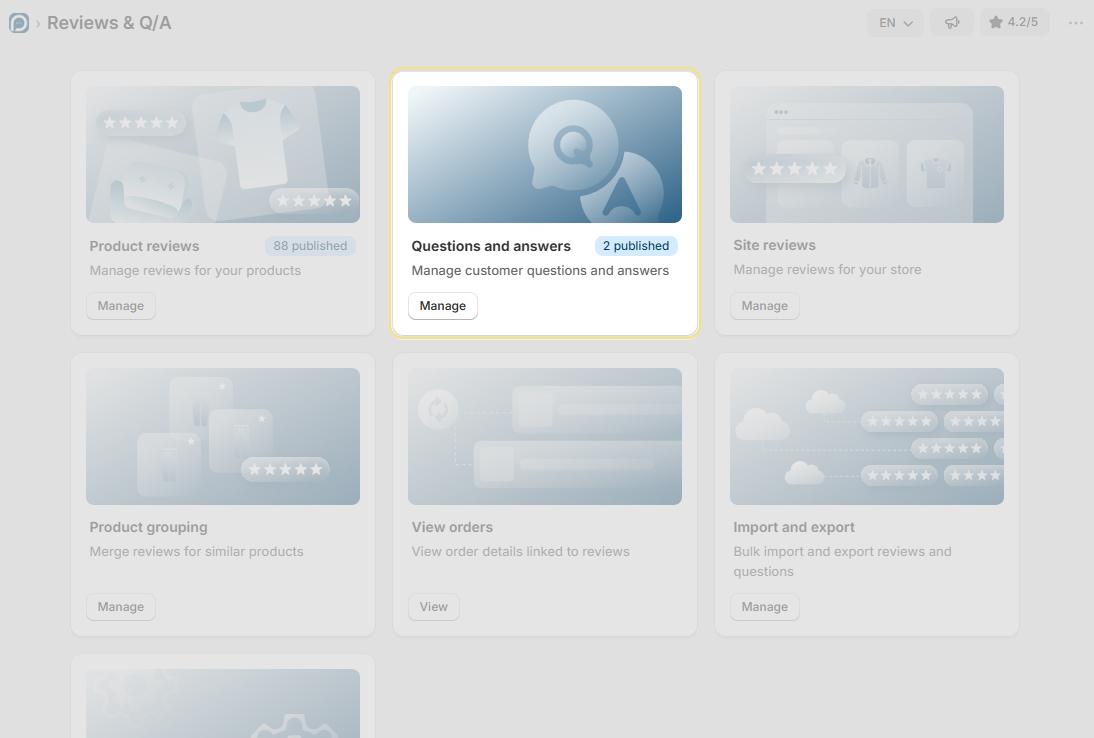
Accessing the Q&A Dashboard
1. Log in to Proviews and go to Reviews & Q/A in the left sidebar.
2. On the main screen, locate the Question & Answer card.
3. Click Manage to open the Q&A dashboard.
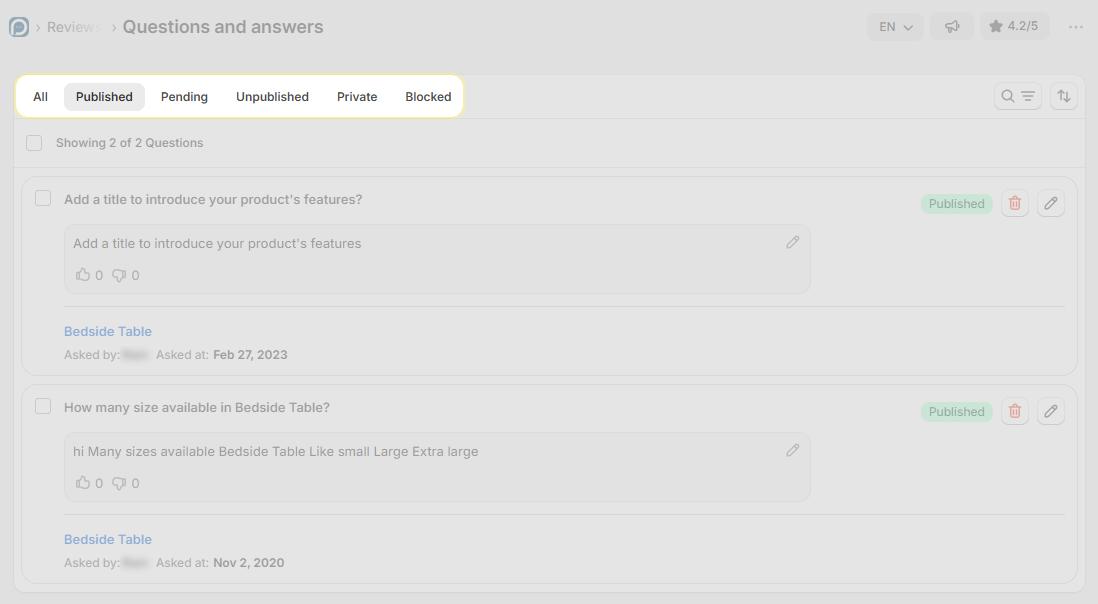
Search & Filter
Use the Search & Filters option in the top-right of the dashboard to quickly locate specific questions. You can search by:
Product Name: Find all questions associated with a specific product.
Customer Name: Locate questions submitted by a specific customer (e.g., "John Smith").
Question Keywords: Search for questions containing specific words or phrases.
Answer Keywords: Search within existing answers to find relevant responses quickly.
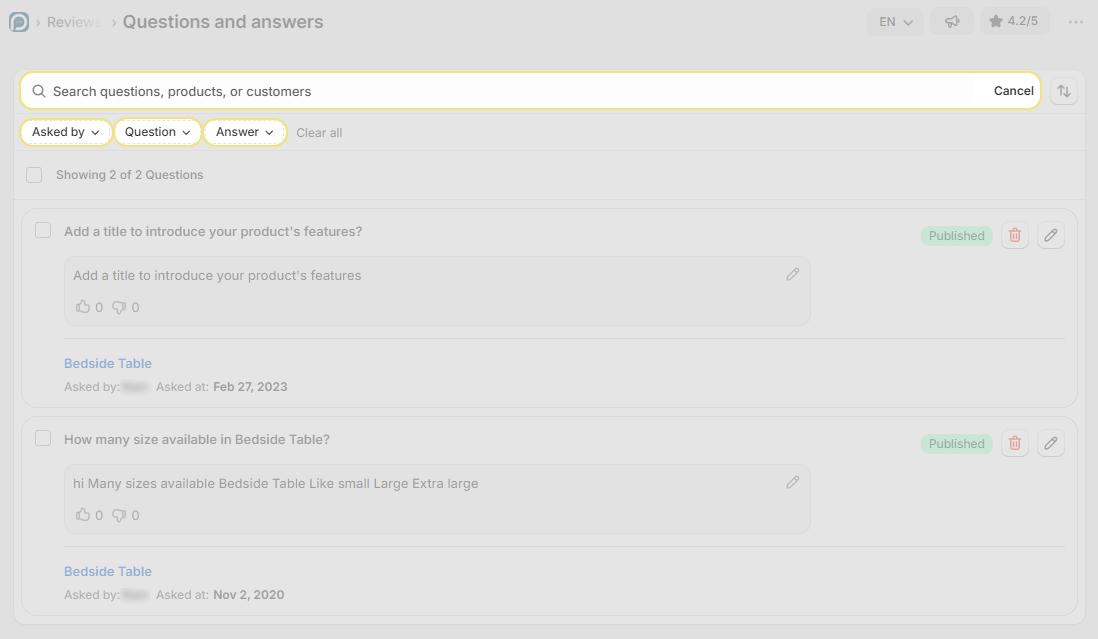
Q&A Status Sections
The Q&A dashboard organizes all questions into five status sections. Use the tabs to switch between them:
Published: Questions and answers visible on your storefront. New questions move here automatically once you answer and publish them.
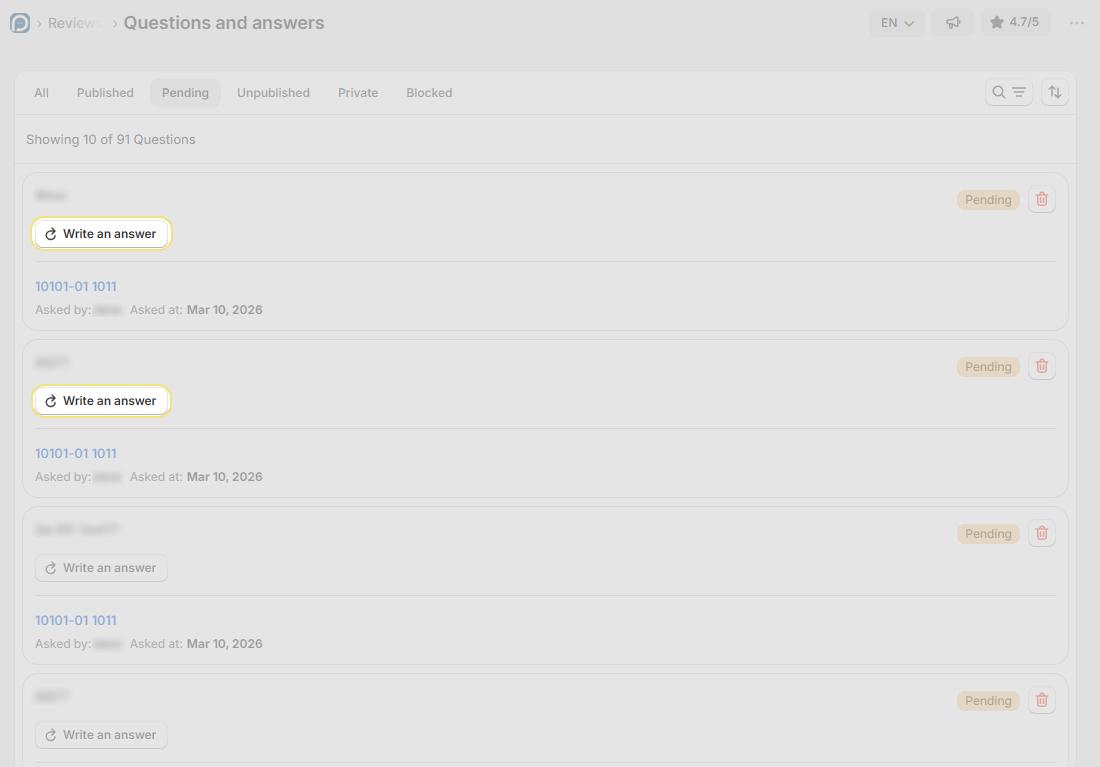
Pending : Unanswered questions awaiting your response. These are not visible to shoppers until you answer and publish them.
Unpublished: Previously published Q&As that you have manually hidden. Restore them at any time using Publish Question.
Private: Answers sent directly to the customer via email only, not visible on the storefront. Use Publish Question to make them public.
Blacklisted: Questions flagged as spam, inappropriate, or unwanted. These are automatically excluded from the storefront.
Managing Published Q&A
For each published Q&A entry, you can take the following actions:
| Action | Description |
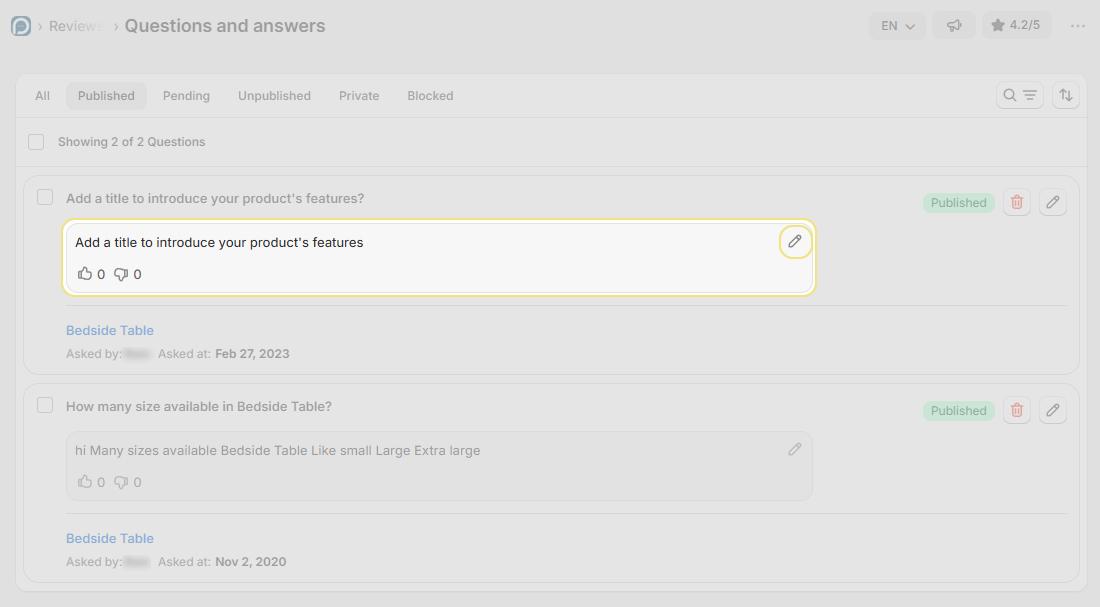
| Edit Answer | Update or correct a published response at any time. Changes appear on the storefront immediately after saving. |
| Unpublish | Temporarily hide a Q&A from the storefront without deleting it. The entry moves to the Unpublished tab and can be restored anytime. |
| Make Private | Change a public answer to private, it is removed from the storefront and sent directly to the customer via email only. |
| Delete | Permanently removes the Q&A entry. This action is irreversible — deleted entries cannot be recovered. |
Caution: Deleting a Q&A entry is permanent and cannot be undone. Use Unpublish or Make Private if you want to hide an entry without losing it.
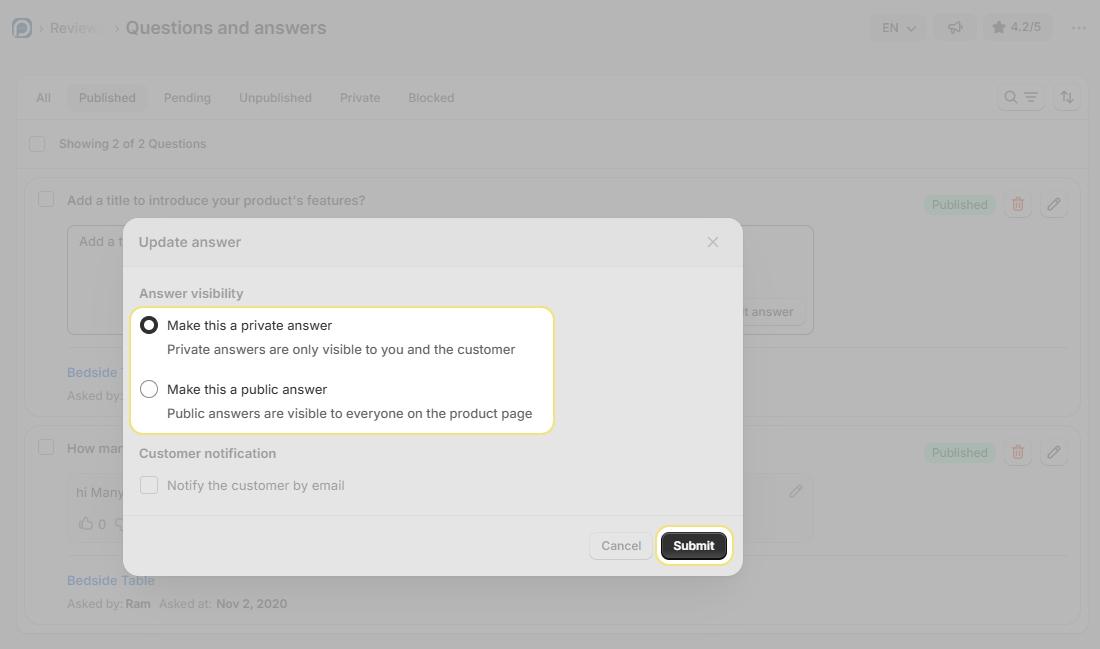
Writing & Visibility Options: When writing or editing an answer, choose who can see the response:
Public: The answer is visible to all shoppers on the product page once published.
Private: The answer is sent directly to the customer via email only and never appears on the storefront.
Bulk Actions
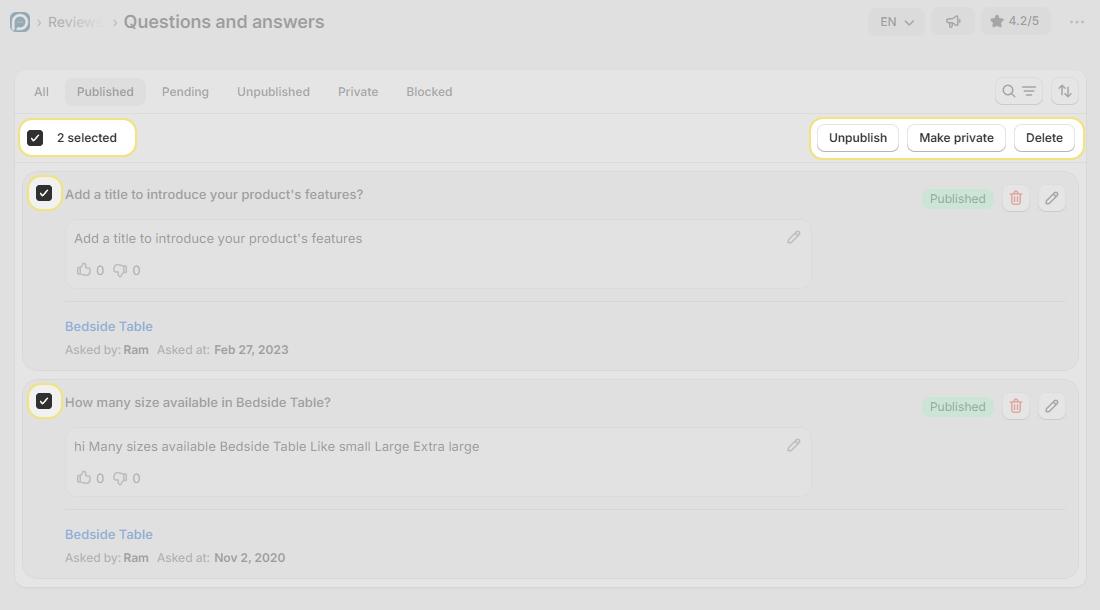
Select multiple questions using the checkboxes and manage them simultaneously, saving time when moderating large volumes of Q&A entries. Once questions are selected, the action buttons appear at the top-right of the list.
Publish: Makes all selected questions and their answers immediately visible on your storefront.
Unpublish: Hides all selected questions from public view in one click. Entries move to the Unpublished tab and can be restored at any time.
Make Private: Removes all selected items from the storefront and restricts them to direct customer email delivery only, useful when answers contain sensitive information.
Delete: Permanently removes all selected questions. This action cannot be undone, all deleted data is unrecoverable.
Warning, Irreversible Action: Bulk Delete permanently erases all selected Q&A entries with no option to recover them. Use Unpublish or Make Private instead if you may need to restore the content later.
Need Help?
Click Help Me on the dashboard to open the support chatbot for real-time assistance.
For email support, contact us at support@simprosys.com
Previous article

Next article
Proviews ‑ Product Reviews Q&A
Legal Policies
Setup & Configuration
Additional Information
Installation Processes
Feature Policies & Guidelines