Proviews ‑ Product Reviews Q&A
Legal Policies

Setup & Configuration
Additional Information
Installation Processes
Feature Policies & Guidelines


Review Interface of Proviews – Product Reviews Q&A
Jul 16, 2026
Introduction to Product Reviews
Product reviews represent customer feedback and opinions about purchased products. They attract potential buyers and build trust in your store. Modern online businesses rely on review apps to collect and manage customer ratings effectively.
Key Benefits: Product reviews help customers understand product pros and cons, verify product authenticity, and build engagement between merchants and their customers.
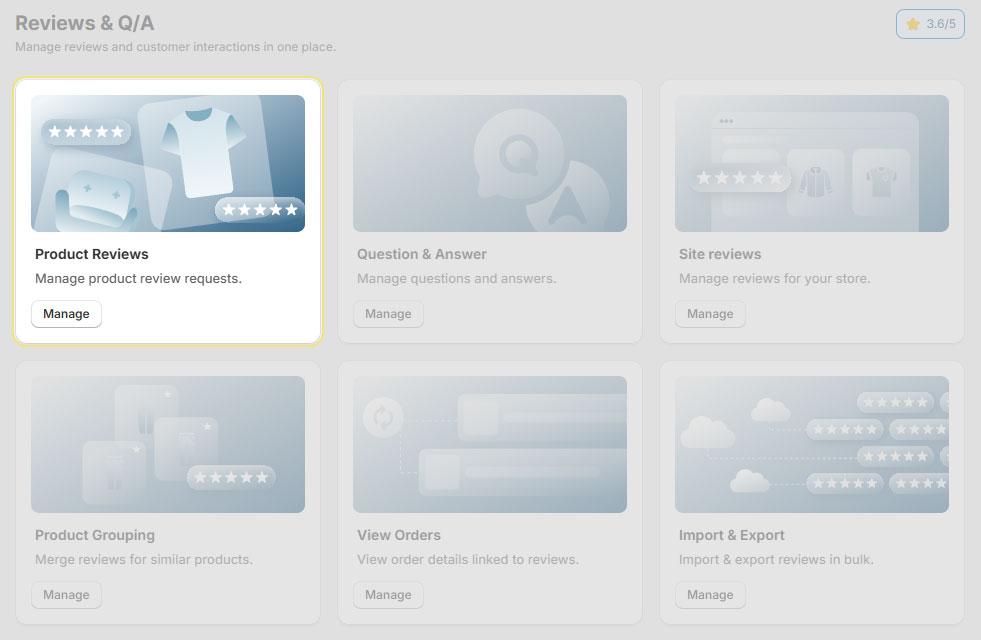
Product Reviews Overview
The Product Reviews displays all reviews in an organized table format. Access it through the main navigation menu by clicking Reviews & Q/A > Product Reviews.
Dashboard Columns
| Column | Description |
| Rating | Star rating (1-5 stars) assigned by the customer |
| Review | Review title and body content |
| Review Date | Submission date (e.g., "3 days ago", "1 week ago") |
| Product Name | Associated product for the review |
| Buyer Name | Customer who submitted the review |
| Review Source | Origin of the review (Email Form, Email Link, or Web) |
| Status | Current state: Published, Pending, Unpublished |
| Action | Available actions menu (Edit, Reply, Publish/Unpublish) |
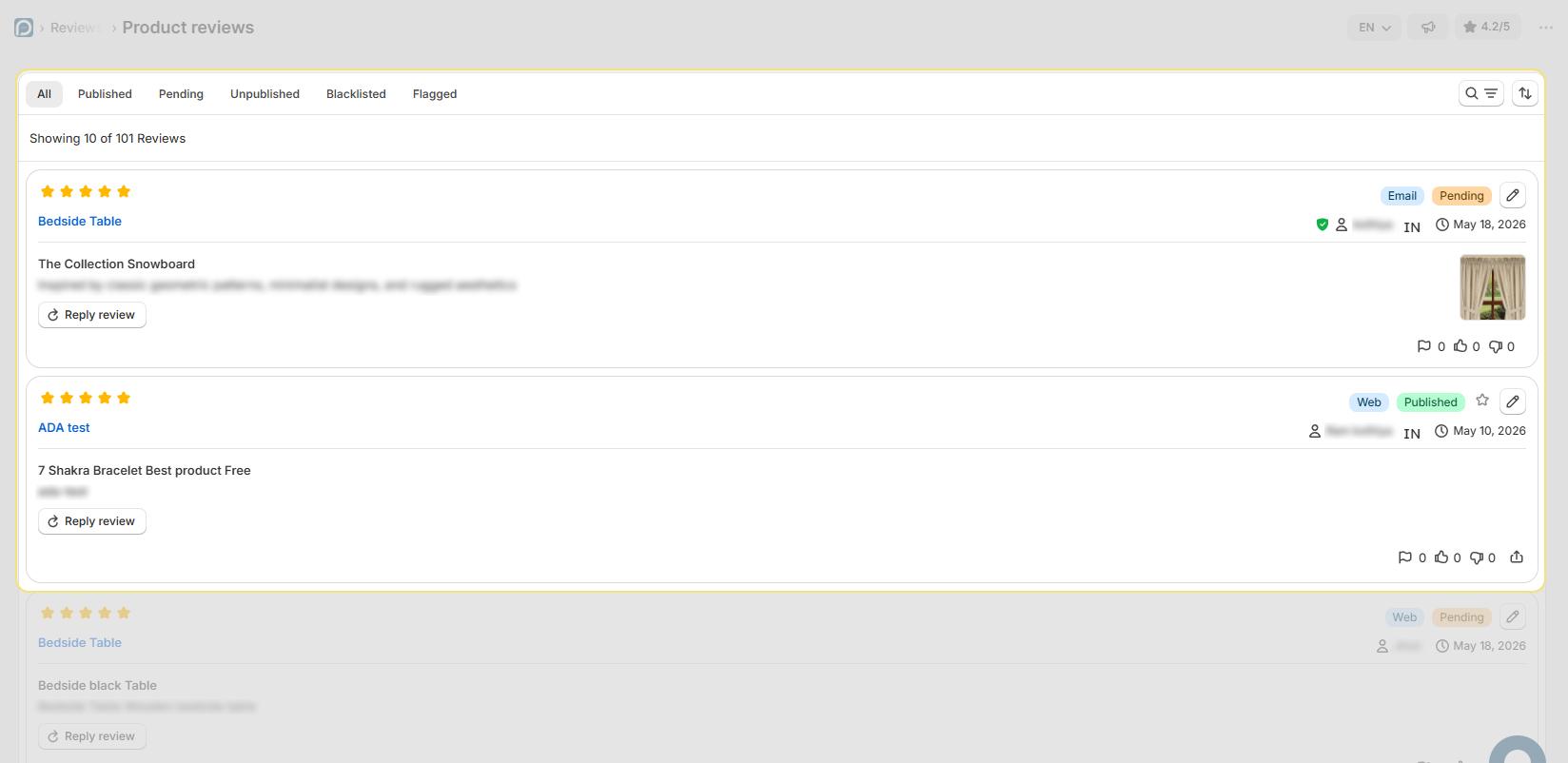
Review Categories
Reviews are organized into four categories accessible via tabs at the top of the dashboard:
| Category | Description |
| All | Complete list of all reviews regardless of status |
| Published | Reviews visible on your storefront |
| Pending | Reviews awaiting moderation (default status for new reviews) |
| Unpublished | Reviews hidden from public view |
| Blacklisted | Reviews from blocked customers or containing prohibited content |
| Flagged | Reviews marked for further investigation or moderation |
Note: All new reviews default to "Pending" status. Publish reviews to display them on your storefront.
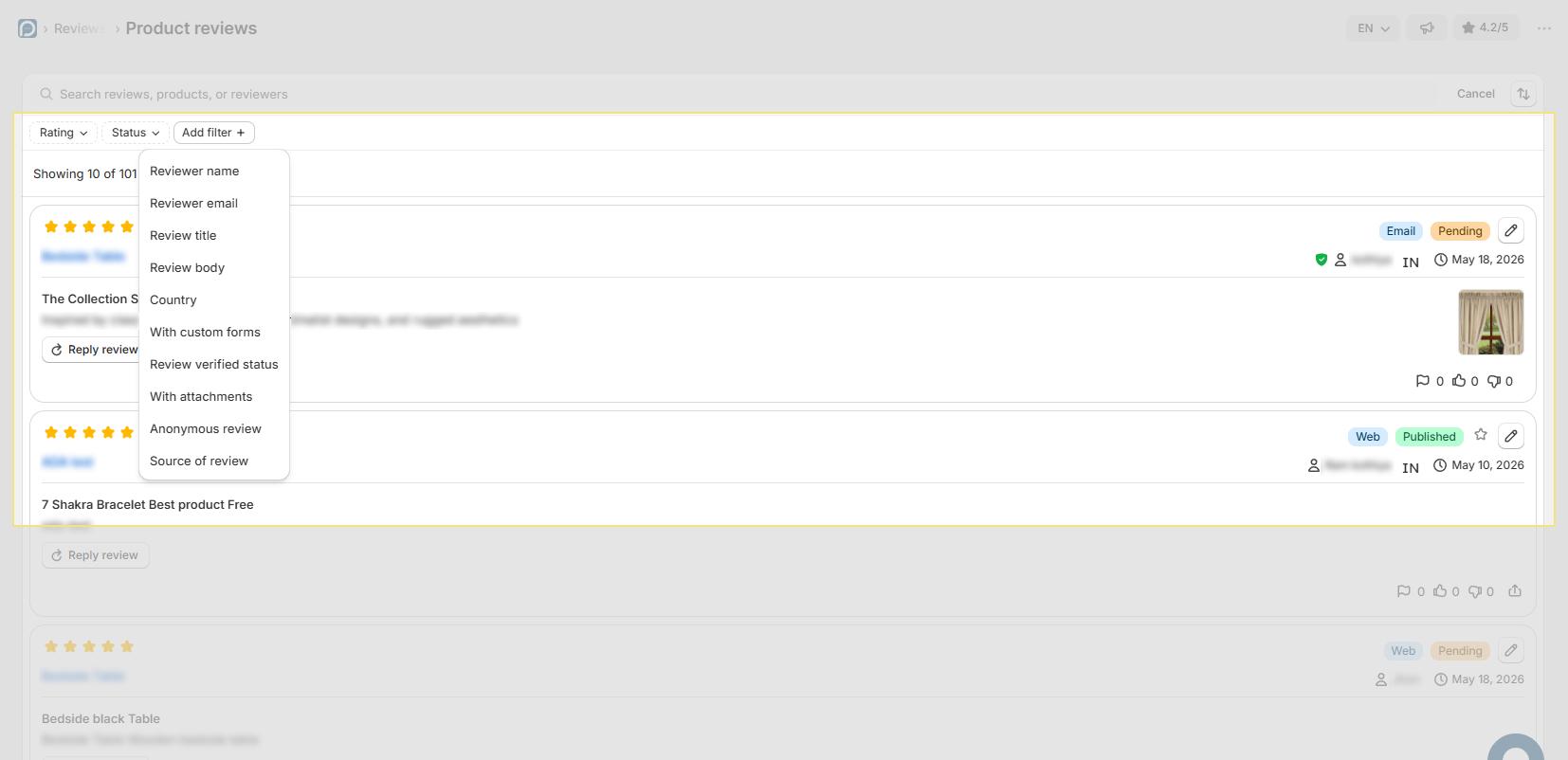
Filter and Search Reviews
Use the Filter Reviews button to narrow down your review list based on specific criteria.
Available Filter Options
| Filter | Type |
| Rating | Range from 1 to 5 stars |
| Reviewer Name | Text Field |
| Reviewer Email | Text Field |
| Review Title | Text Field |
| Review Body | Text Field |
| Products Name | List of Products |
Search Functionality
The search bar allows quick lookups by:
- Review Title
- Review Content
- Product Name
- Buyer Name
Review Sources
Reviews can originate from two primary channels: Email and Web.
Email Sources
The system sends review request emails when customers place orders. Email sources include:
- Email Link: Contains a product URL that directs customers to the product page where they can submit reviews
- Email Form: Contains an embedded form structure allowing customers to submit reviews directly from the email
Web Source
Customers submit reviews through the review widget on your product pages without receiving an email invitation.
Managing Reviews
Access review management options through the Action menu (three dots) for each review.
Available Actions
| Action | Description |
| Edit Review | Modify review content, rating, or details |
| Write a Review Reply | Respond to customer feedback publicly |
| Publish Review | Make the review visible on your storefront |
| Unpublish Review | Hide the review from public view |
Best Practice: Respond to reviews promptly to demonstrate excellent customer service and build trust with potential buyers.
Quick Reference
Status Definitions
- Published — Review displays on storefront
- Pending — Review awaits moderation
- Unpublished — Review hidden from public
Keyboard Shortcuts
- Search: Click search bar and start typing
- Select All: Click header checkbox
- Pagination: Use Previous/Next buttons or page numbers
Need Help?
Click “Help Me” and our chatbot will appear. You can then ask questions or request assistance in real time.
For email support, feel free to reach out to us at support@simprosys.com
Previous article

Next article
Proviews ‑ Product Reviews Q&A
Legal Policies
Setup & Configuration
Additional Information
Installation Processes
Feature Policies & Guidelines