Proviews ‑ Product Reviews Q&A
Legal Policies

Setup & Configuration
Additional Information
Installation Processes
Feature Policies & Guidelines


All Reviews Page – Product Reviews Q&A
Aug 27, 2026
Overview
The All Reviews Page creates a dedicated storefront page that displays every published review from your store in one place. It gives potential customers a comprehensive view of your shopper community's satisfaction — building trust and supporting purchase decisions across all products.
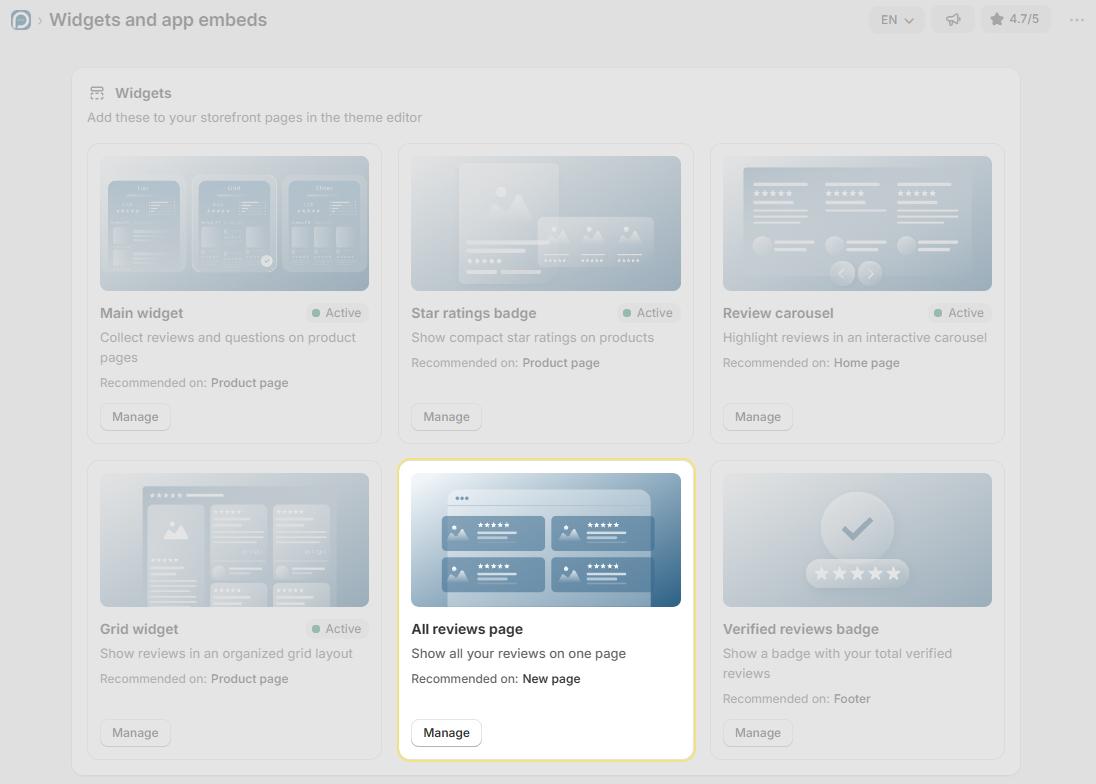
Prerequisite: At least one published review must exist in Proviews before the All Reviews Page displays any content on your storefront.
Step 1 – Configure Settings in Proviews
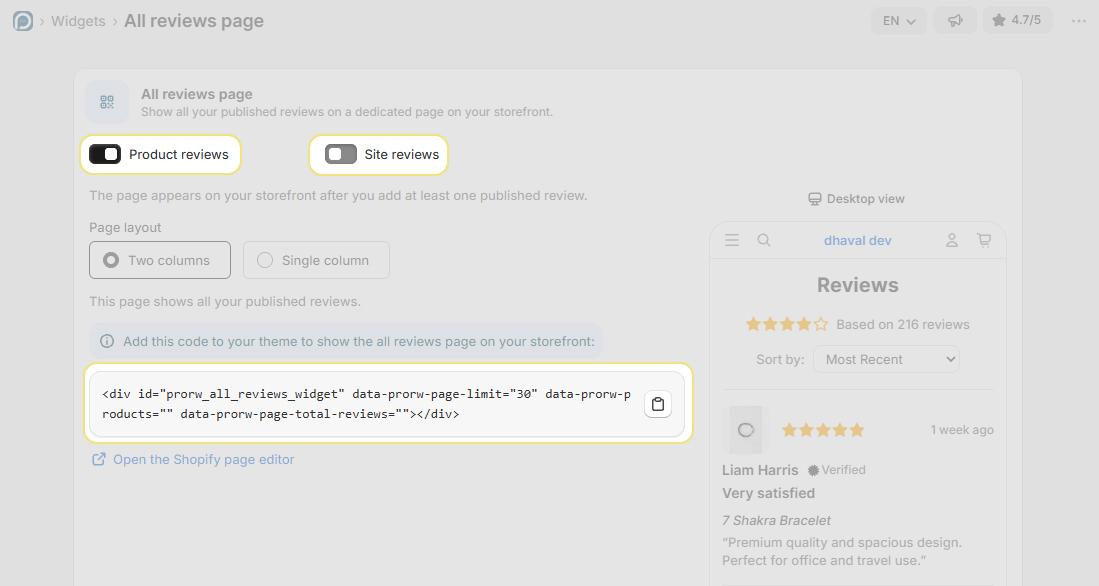
Before embedding the widget, configure the display options in Widgets → All Reviews Page:
Review Type Toggles:
Product Reviews: Toggle ON to include product-specific reviews on the page. This is the primary review type and is enabled by default.
Activate Site Review: Toggle ON to also display store-level reviews and testimonials alongside product feedback — giving shoppers a complete picture of your store experience.
Page Layout:
- Two Column: Displays reviews in a two-column split layout that balances review text and images side by side. Best for stores with a wide content area and image-rich reviews.
- Minimal: Displays reviews in a clean, single-column layout focused on review text and star ratings. Well-suited for narrower layouts or stores that prefer a streamlined look.
Step 2 – Create a Page in Shopify
The All Reviews widget requires a dedicated page in Shopify. Follow these steps to create it:
In your Shopify admin, go to Online Store → Pages and click Add Page.
Enter a clear, descriptive title for the page — for example, "All Reviews" or "Our Happy Customers".
In the Content section, click the Show HTML icon () to switch to the HTML editor view.
Copy the widget snippet from the All Reviews Page settings in Proviews and paste it directly into the HTML editor.
Click Save. The All Reviews Page is now live on your storefront.
Widget Embed Code
Copy this snippet from the Proviews All Reviews Page settings and paste it into the Shopify page HTML editor:
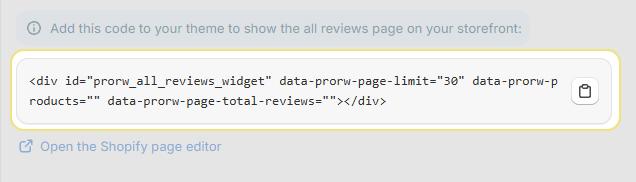
About pagination: The data-prorw-page-limit="30" attribute loads reviews in batches of 30, keeping the page fast and easy to browse. Increase or decrease this value directly in the snippet to suit your preference.
The page is live! Once saved, your All Reviews Page is accessible on your storefront. Add it to your store navigation menu so shoppers can find it easily.
Tip: Link the All Reviews Page from your homepage, footer, or navigation menu to maximise its visibility and impact on shopper trust.
Need Help?
Click “Help Me” and our chatbot will appear. You can then ask questions or request assistance in real time.
For email support, feel free to reach out to us at support@simprosys.com
Previous article

Next article
Proviews ‑ Product Reviews Q&A
Legal Policies
Setup & Configuration
Additional Information
Installation Processes
Feature Policies & Guidelines