Proviews ‑ Product Reviews Q&A
Legal Policies

Setup & Configuration
Additional Information
Installation Processes
Feature Policies & Guidelines


Custom Forms of Proviews – Product Reviews Q&A
Jun 12, 2026
What Are Custom Forms?
Custom Forms allow you to collect additional information from reviewers beyond the standard fields (like name, rating, comment). You can use these forms to ask custom questions, gather customer data, or include optional fields (e.g. “How did you use this product?”, “Would you recommend it?”).
How to Configure Custom Forms
1. Access Custom Forms Settings
In the Proviews dashboard, go to Settings → Custom Forms. This is where you enable, manage, and configure your custom fields.
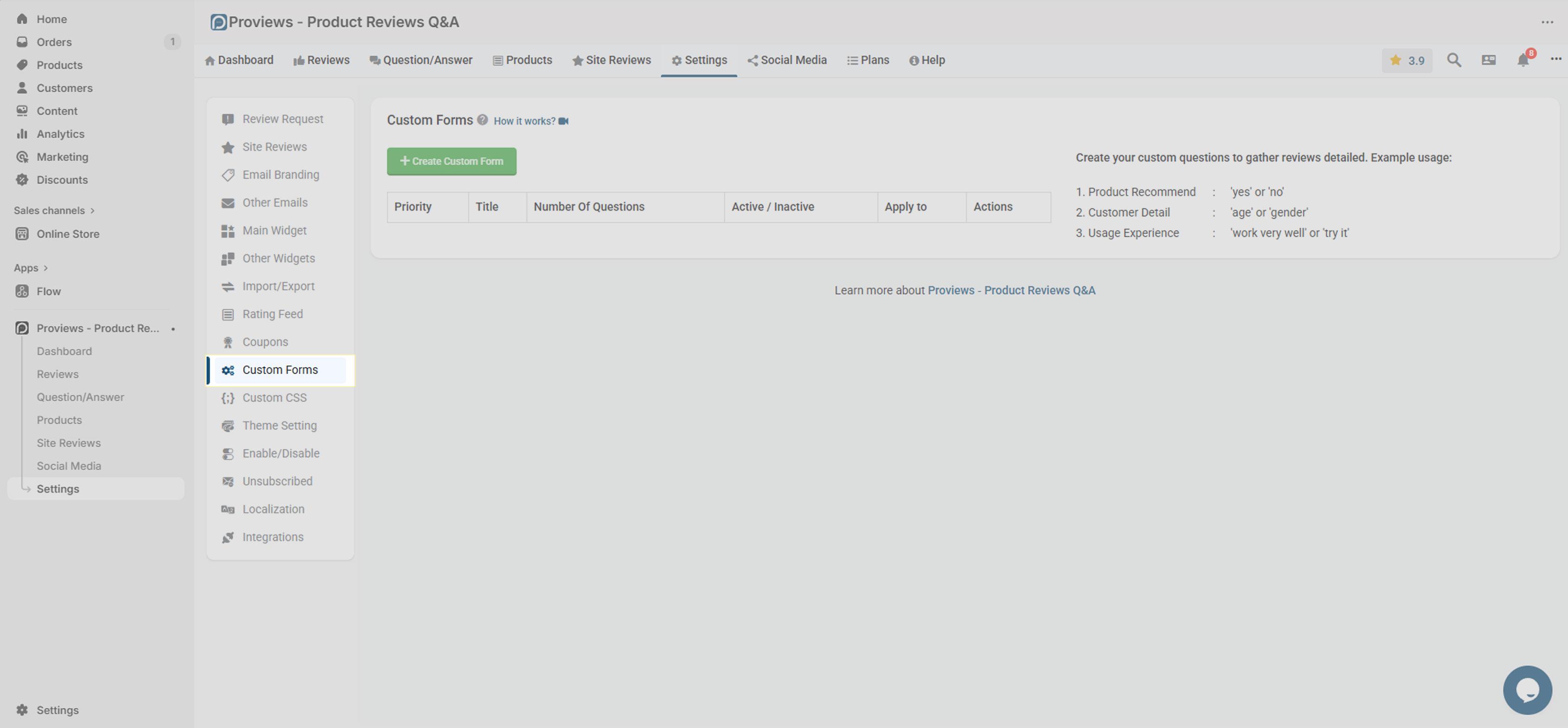
2. Add & Configure Fields
- Click on “Create Custom Form” to add a new field.
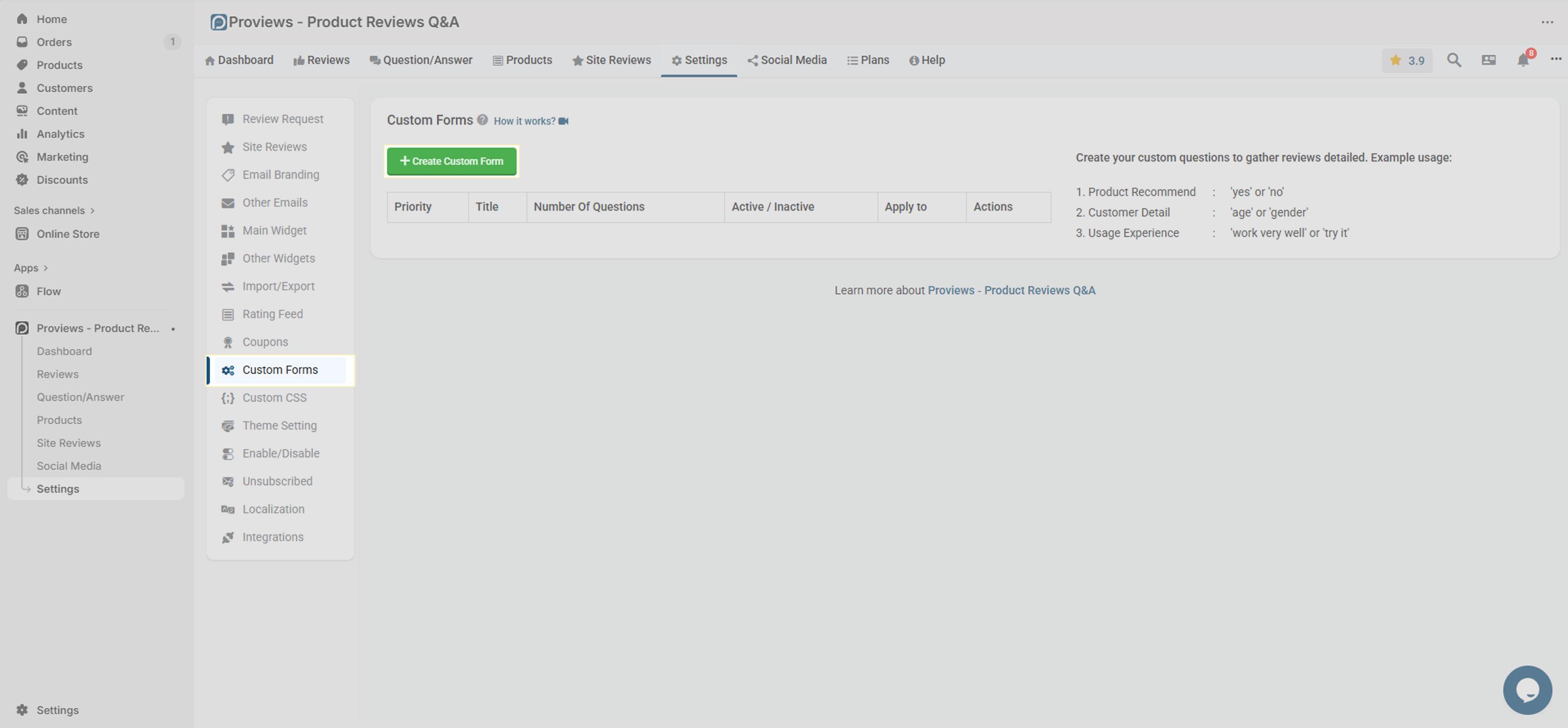
- Add new fields such as text input, dropdown, checkbox, or textarea.
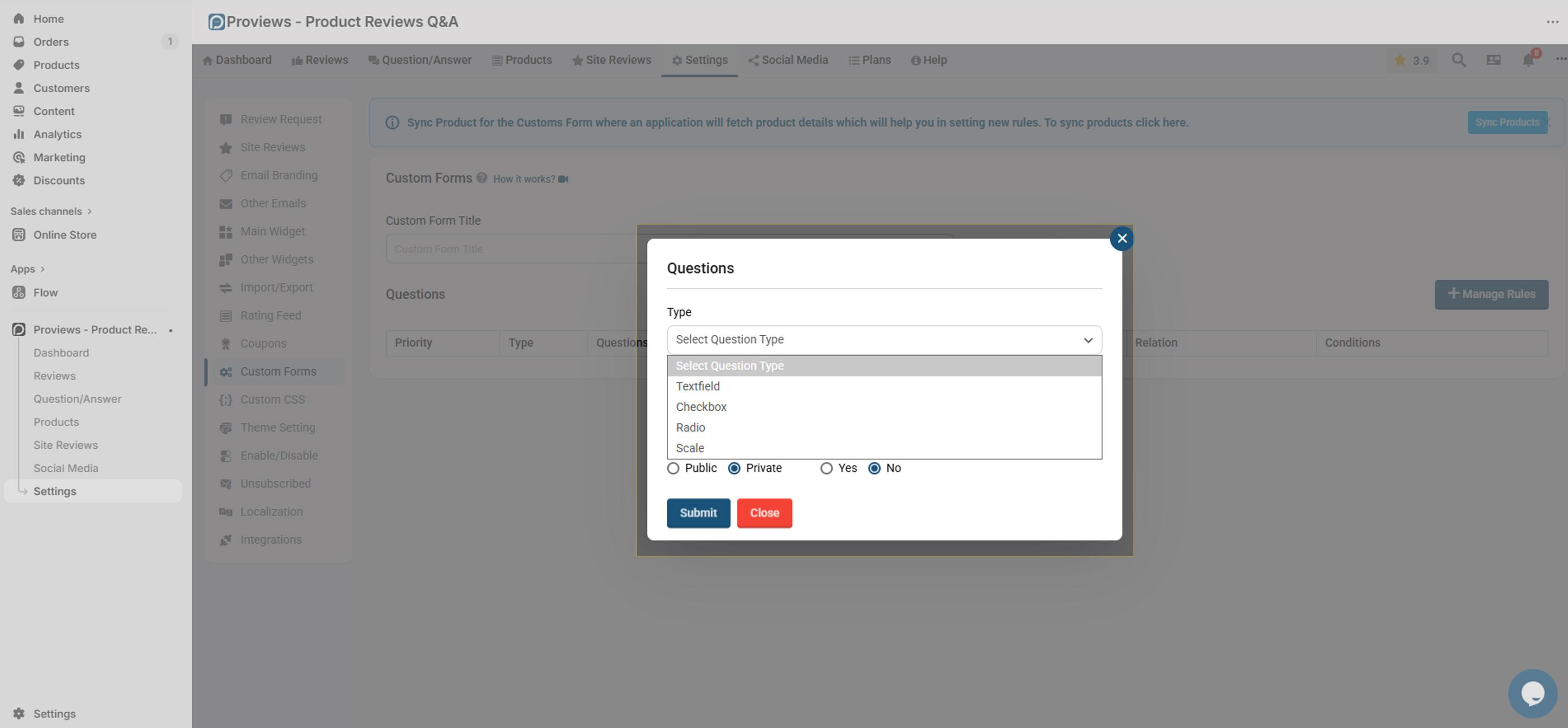
- Label each field clearly (e.g., “Usage Duration”, “Preferred Features”) so customers know what to fill in.
- Mark fields as optional or required. Use required only when necessary, as too many mandatory fields may discourage reviews.
- Click on “Apply for all products” to apply this form on all published products.
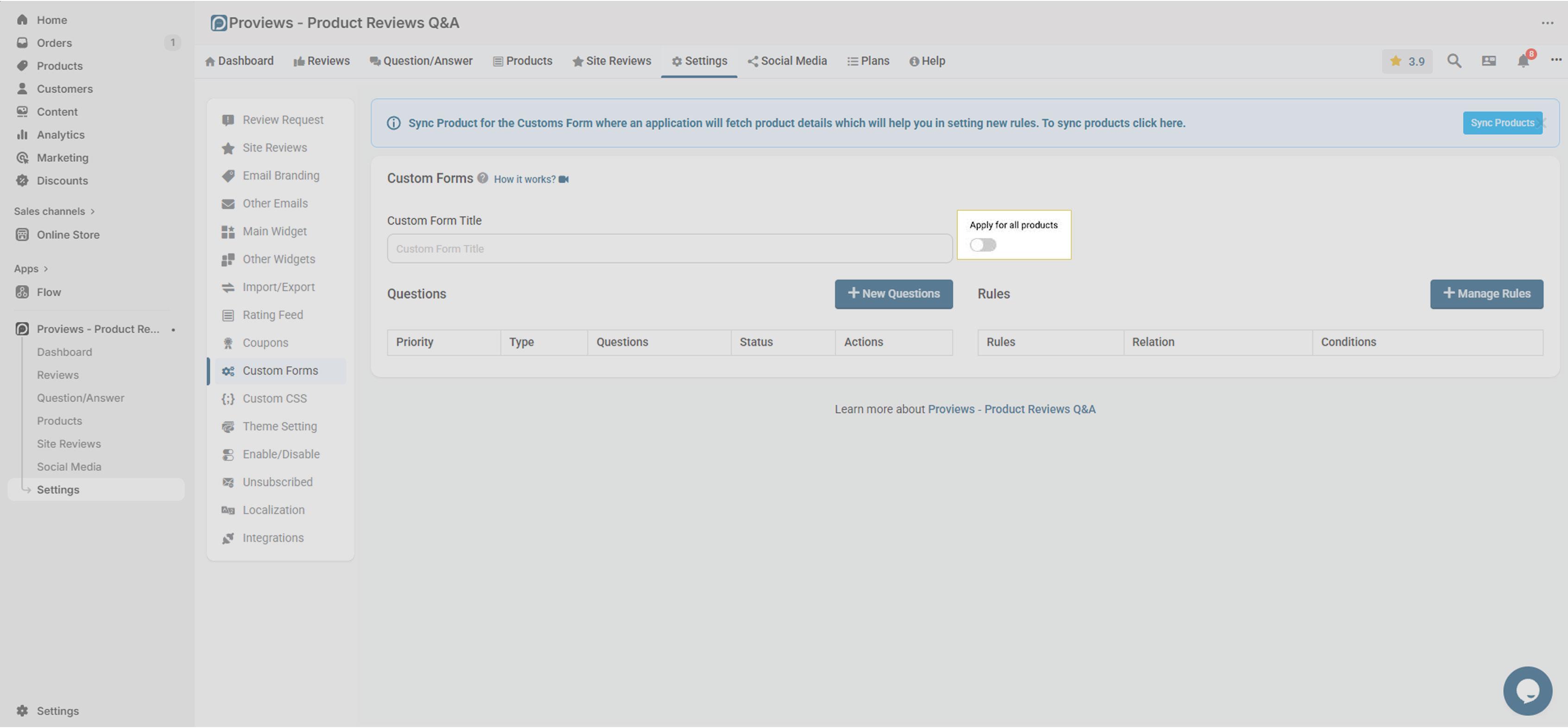
- If you want to apply this custom form to specific products only, create a rule based on the “Product Type”, “Product Title”, and “Product ID”.
3. Arrange Field Order & Display
Rearrange the fields in the order you want them to appear on the review form. This ensures the flow is logical and user-friendly.
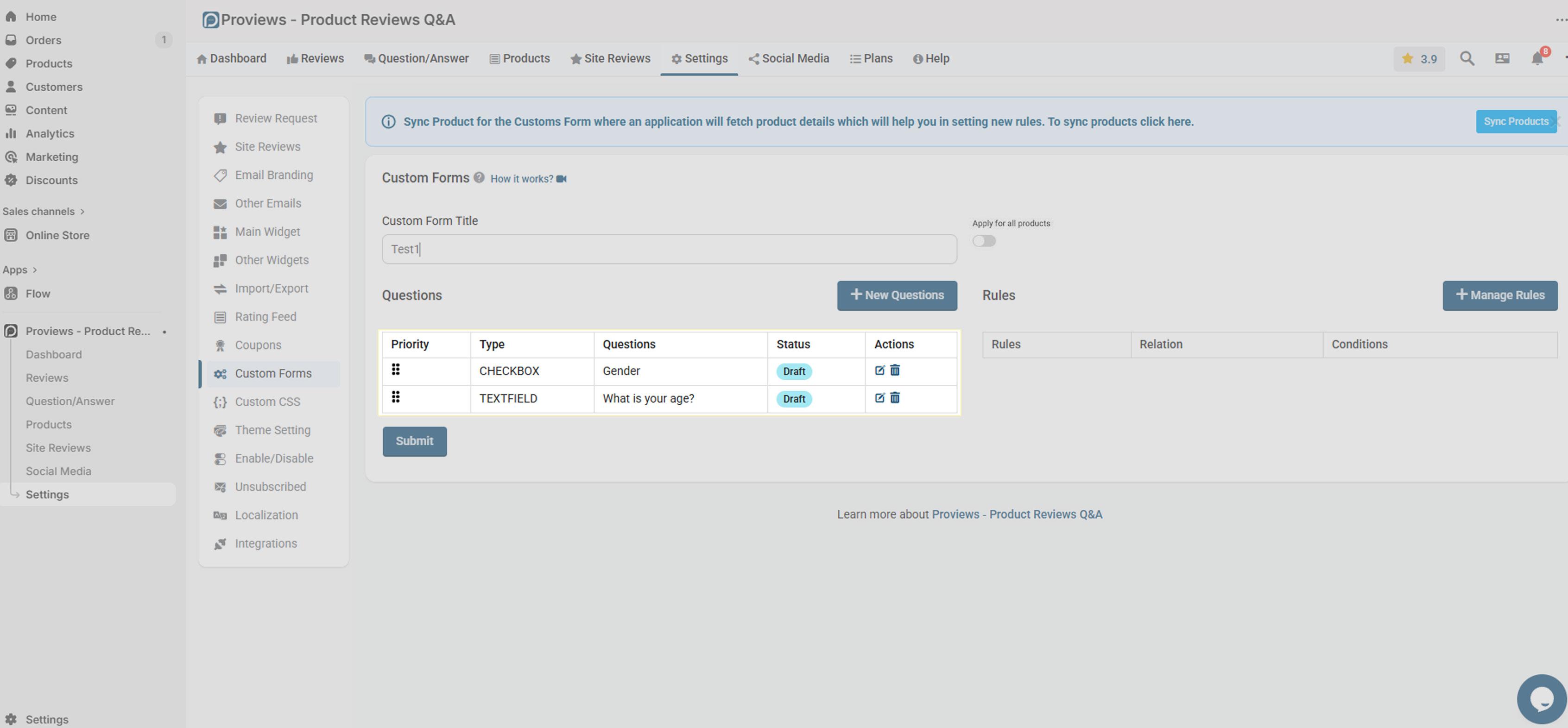
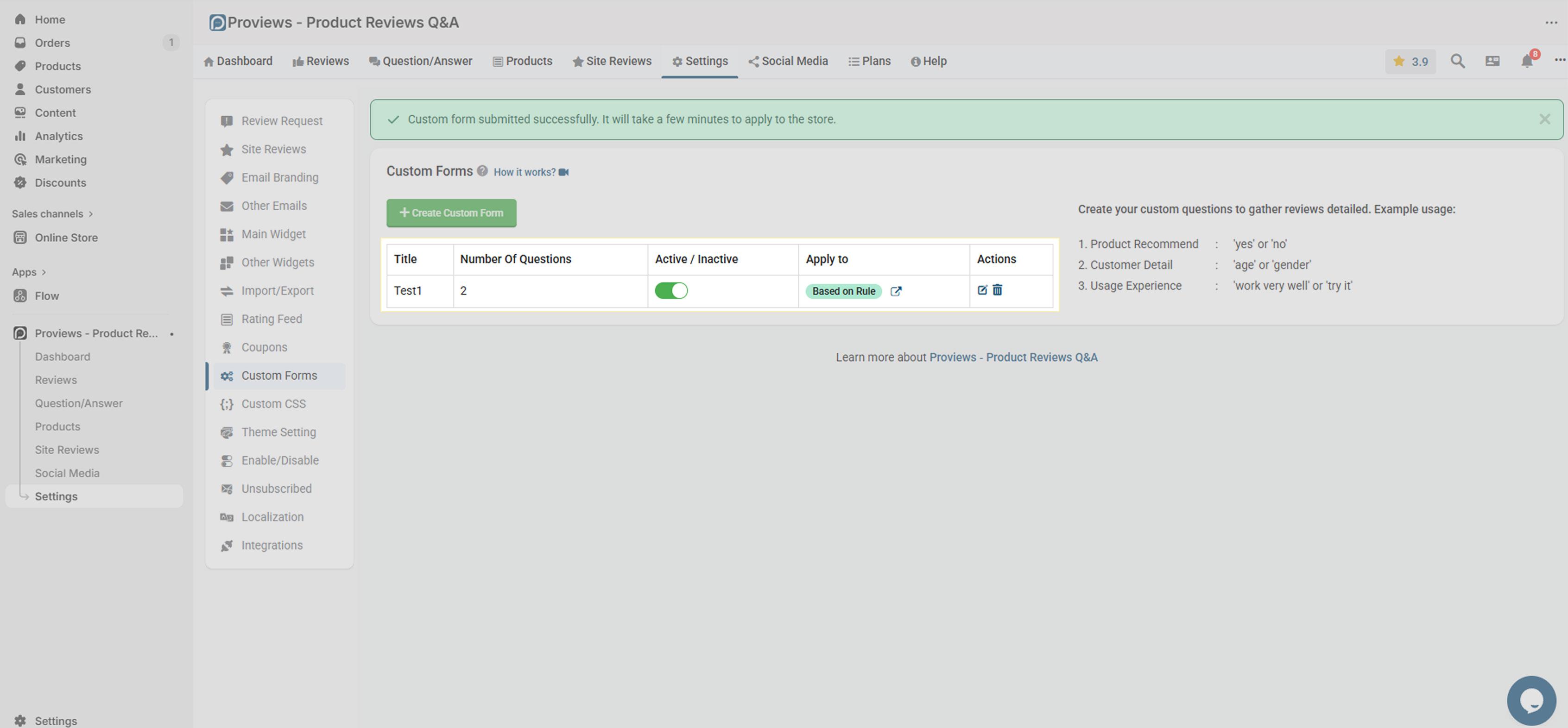
4. Save Changes & Preview
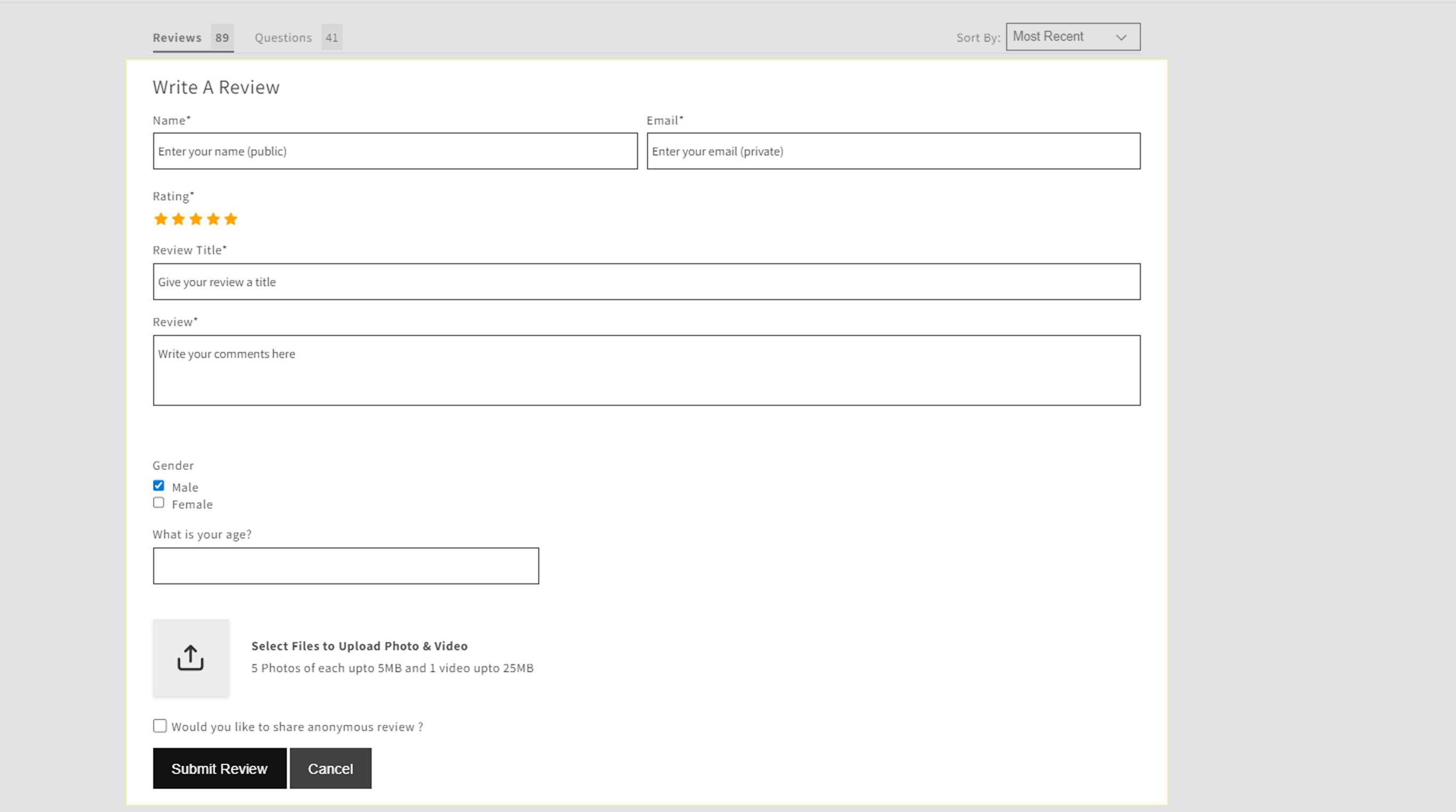
After configuration, save your changes and preview how the custom form appears with the standard review form. Make sure it looks clean and is not overwhelming.
Best Practices & Considerations
- Keep the form simple and relevant. Too many fields or very lengthy questions can reduce review completion.
- Use optional fields for deeper insights (e.g. “What feature did you like most?”) rather than making everything mandatory.
- Test the form on different devices to ensure mobile responsiveness.
- If you export reviews (import/export feature), data from custom form fields will also be included, so you can analyze or use it further.
Common Use Cases
- Customer Feedback & Suggestions — Collect extra details about how customers used the product.
- Review Segmentation — Ask about product use cases (indoor, outdoor, travel) to filter or group reviews.
- Better Support & Product Improvement — Use extra responses to understand common pain points or desired features.
Need Help?
Click “Help Me” and our chatbot will appear. You can then ask questions or request assistance in real time.
For email support, feel free to reach out to us atsupport@simprosys.com
Previous article

Next article
Proviews ‑ Product Reviews Q&A
Legal Policies
Setup & Configuration
Additional Information
Installation Processes
Feature Policies & Guidelines