Proviews ‑ Product Reviews Q&A
Legal Policies

Setup & Configuration
Additional Information
Installation Processes
Feature Policies & Guidelines


Import & Export in Proviews – Product Reviews Q&A
Jun 12, 2026
Overview
The Import & Export section lets you bring existing review and Q&A data into Proviews from other platforms or custom CSV files, and export your data for backup or migration purposes. Both reviews and Q&A entries are supported in both directions.
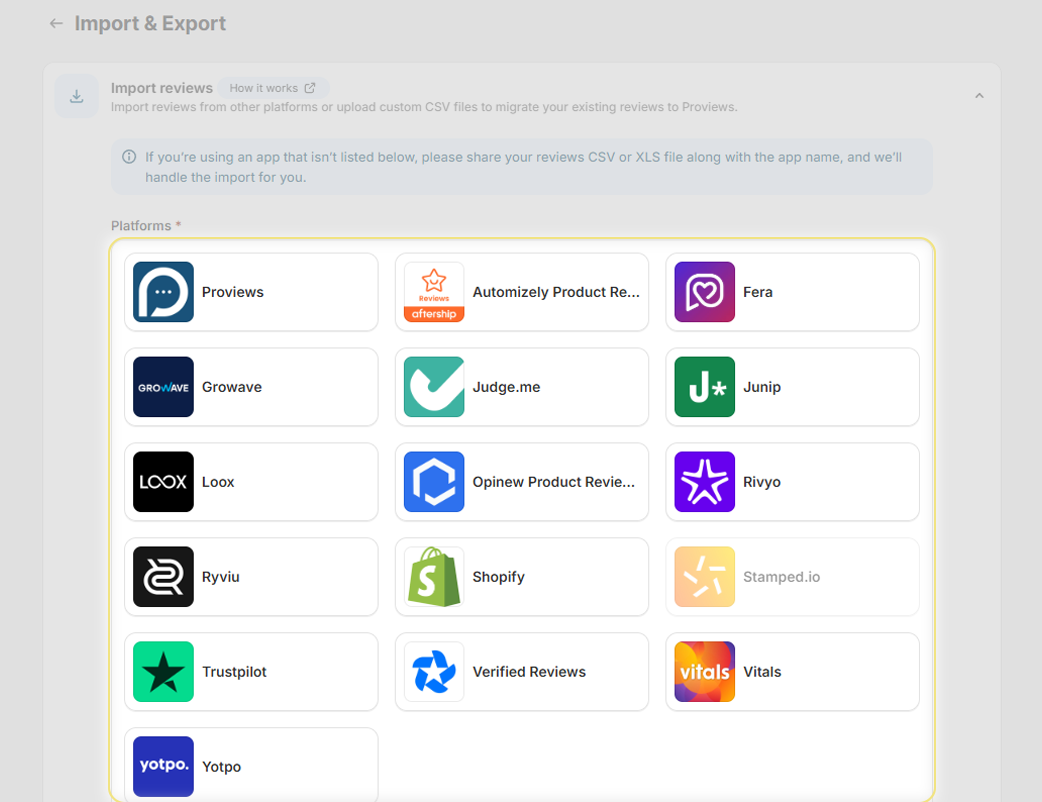
Import Reviews
Proviews supports direct review imports from 16 platforms, as well as manual imports via a custom CSV file.
Supported Platforms
Click your previous review platform to import reviews directly, no CSV preparation needed:
- Proviews
- Automizely Product Review
- Fera
- Growave
- Judge.me
- Junip
- Loox
- Opinew Product Reviews
- Rivyo
- Ryviu
- Shopify
- Stamped.io
- Trustpilot
- Verified Reviews
- Vitals
- Yotpo
Platform not listed? Send your reviews CSV or XLS file along with your app name to support@simprosys.com and the Proviews team will handle the import for you.
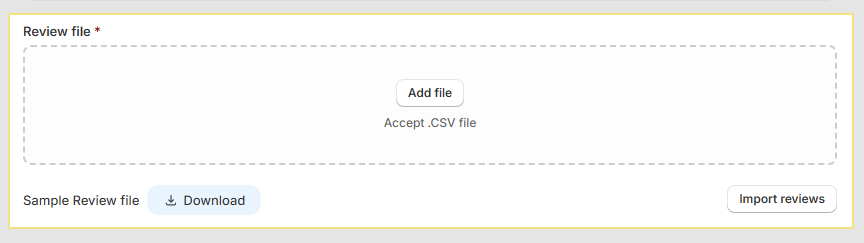
Import via Custom CSV
If your reviews are not from a supported platform, upload them manually using a CSV file:
1. Under Review file, click Add file and select your .CSV file.
2. Click Submit CSV to begin the import.
Tip: Download the Sample Reviews CSV file from the import page to see the required column format before preparing your file.
Import Questions & Answers (Q&A)
Import existing product questions and answers from a CSV file using the same straightforward process:
1. Under Q/A file, click Add file and select your .CSV file.
2. Click Submit CSV to complete the upload.
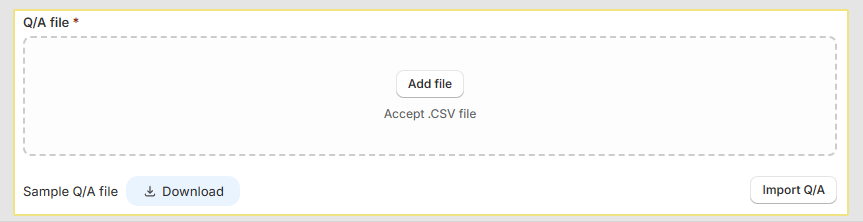
Tip: Download the Sample Q&A CSV file from the import page to ensure your file matches the required format before uploading.
Export Reviews & Q&A
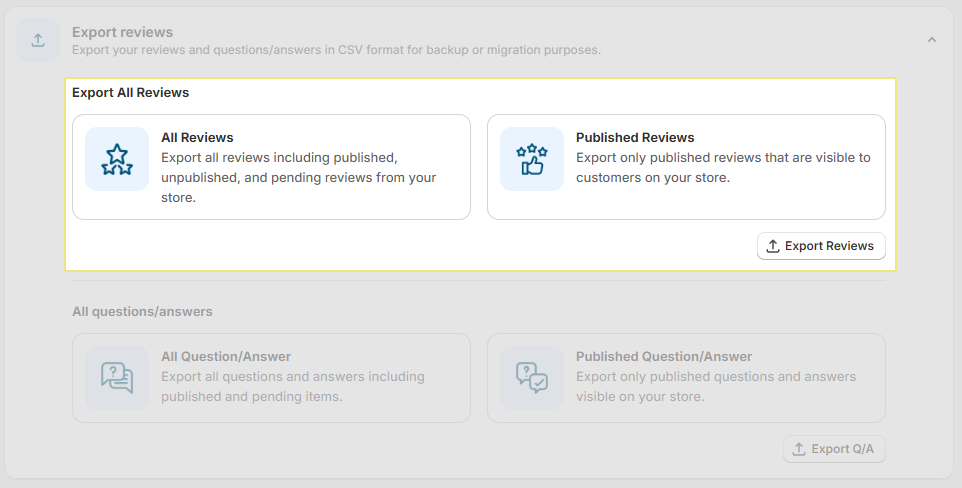
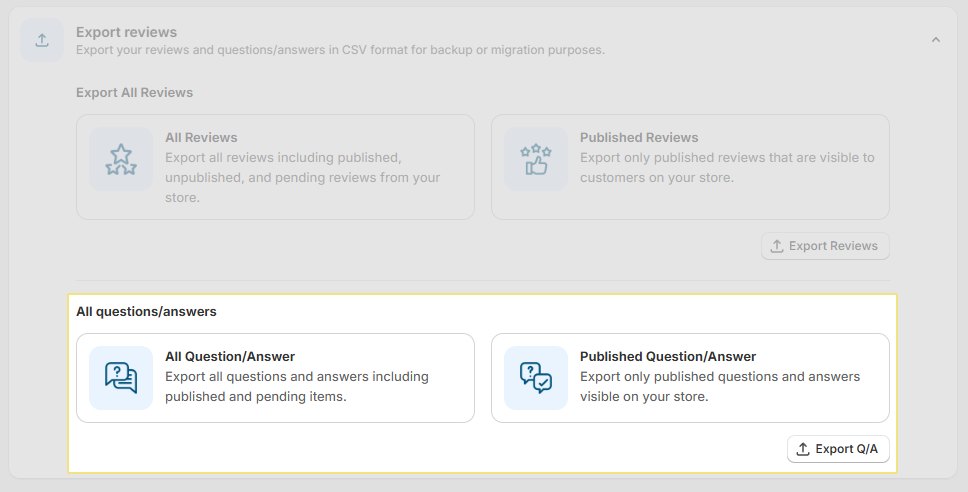
Export your review and Q&A data as CSV files for backup, reporting, or migration to another platform. Both exports offer two scope options:
Export Reviews
All Reviews: Exports every Q&A entry in your store — including published and pending items.
Published Reviews: Exports only reviews that are live and visible to shoppers on your storefront.
Click Export Reviews to download the CSV file instantly.
Export Questions & Answers
All Questions & Answers: Exports every Q&A entry in your store, including published and pending items.
Published Questions & Answers: Click Export Q/A to download the CSV file instantly.
Quick reference, what to use when:
| Task | Use |
| Migrate from another review platform | Import Reviews → Select platform |
| Upload reviews from a spreadsheet | Import Reviews → Custom CSV |
| Import past Q&A data | Import Q&A → Custom CSV |
| Backup all store reviews | Export Reviews → All Reviews |
| Export live storefront reviews only | Export Reviews → Published Reviews |
| Back up all Q&A data | Export Q&A → All Questions & Answers |
Need Help?
Click Help Me on the dashboard to open the support chatbot for real-time assistance.
For email support, contact us at support@simprosys.com
Previous article

Next article
Proviews ‑ Product Reviews Q&A
Legal Policies
Setup & Configuration
Additional Information
Installation Processes
Feature Policies & Guidelines