
SearchGro: Search & Filter
Onboarding Process

App Overview
Analytics
Search Widget Configuration
Search Result Page Configuration
Recently Viewed Widget
Color Families
Product Label
Market
Theme Setting
White Glove Setup
Theme Variable
Filter on Collection
Policies


How to adjust the SearchGro Search Widget Layout to match your Shopify store design
Jan 20, 2026
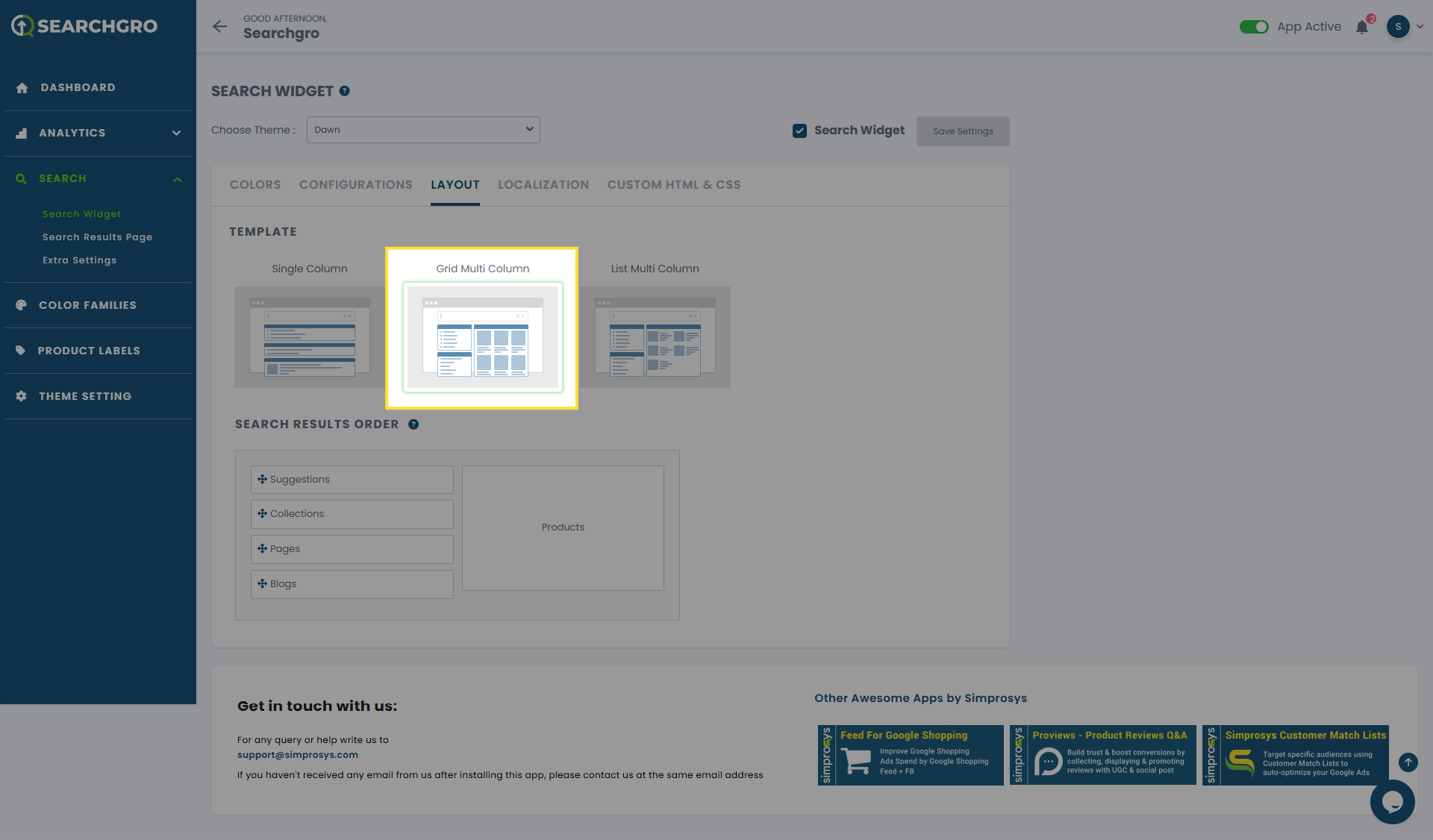
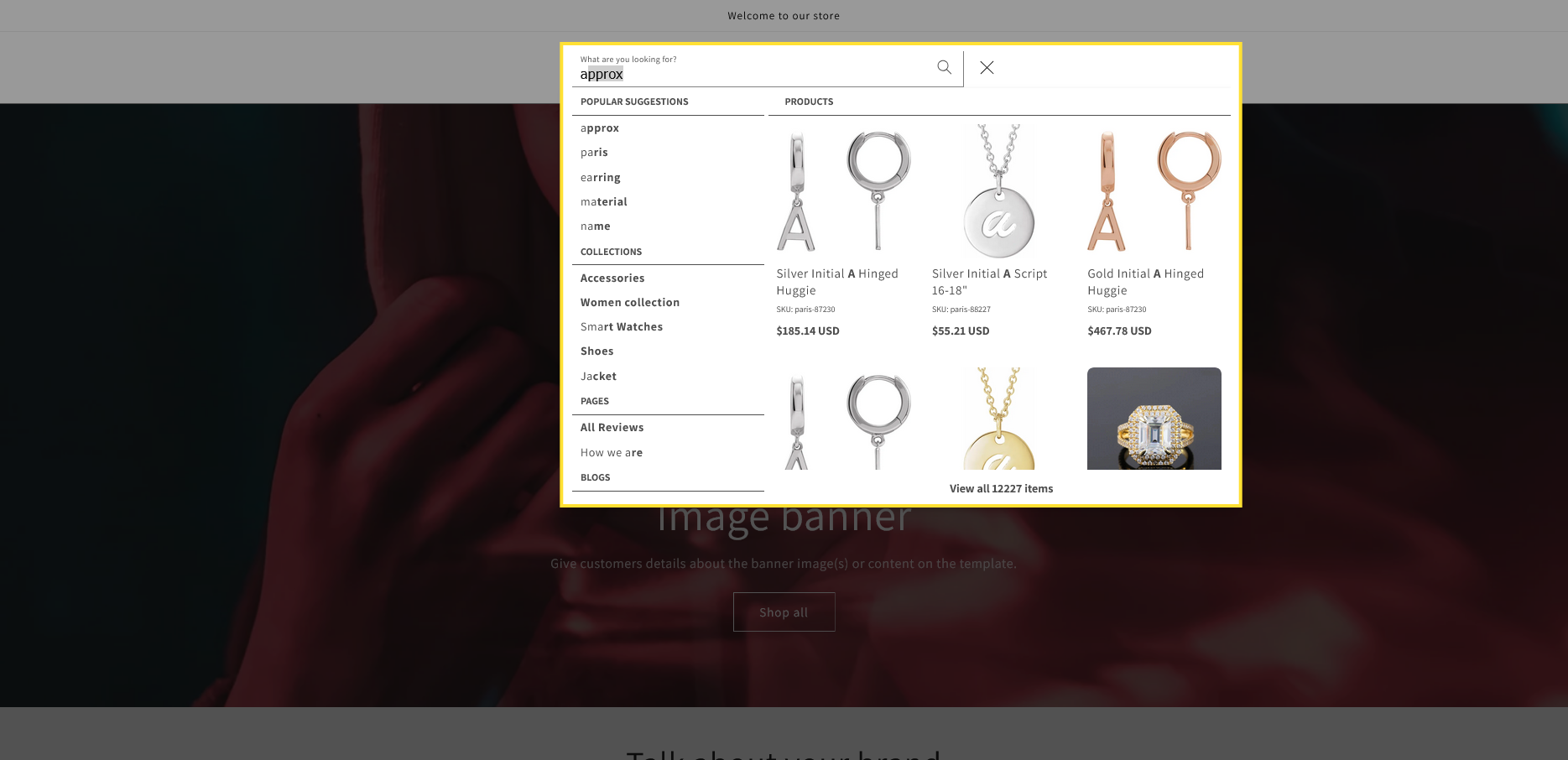
You can control how products are displayed within the Search Widget's instant search results by selecting a layout template.
Steps to Adjust Search Widget Layout:
- Log in to your Shopify admin and open the SearchGro app from the Apps menu.
- In the SearchGro dashboard, click the Search tab in the left-hand sidebar.
- Click the Layout tab.
Available Layout Templates:
Select one of the three provided templates to define the structure of how products are shown in the instant search dropdown:
- Single Column
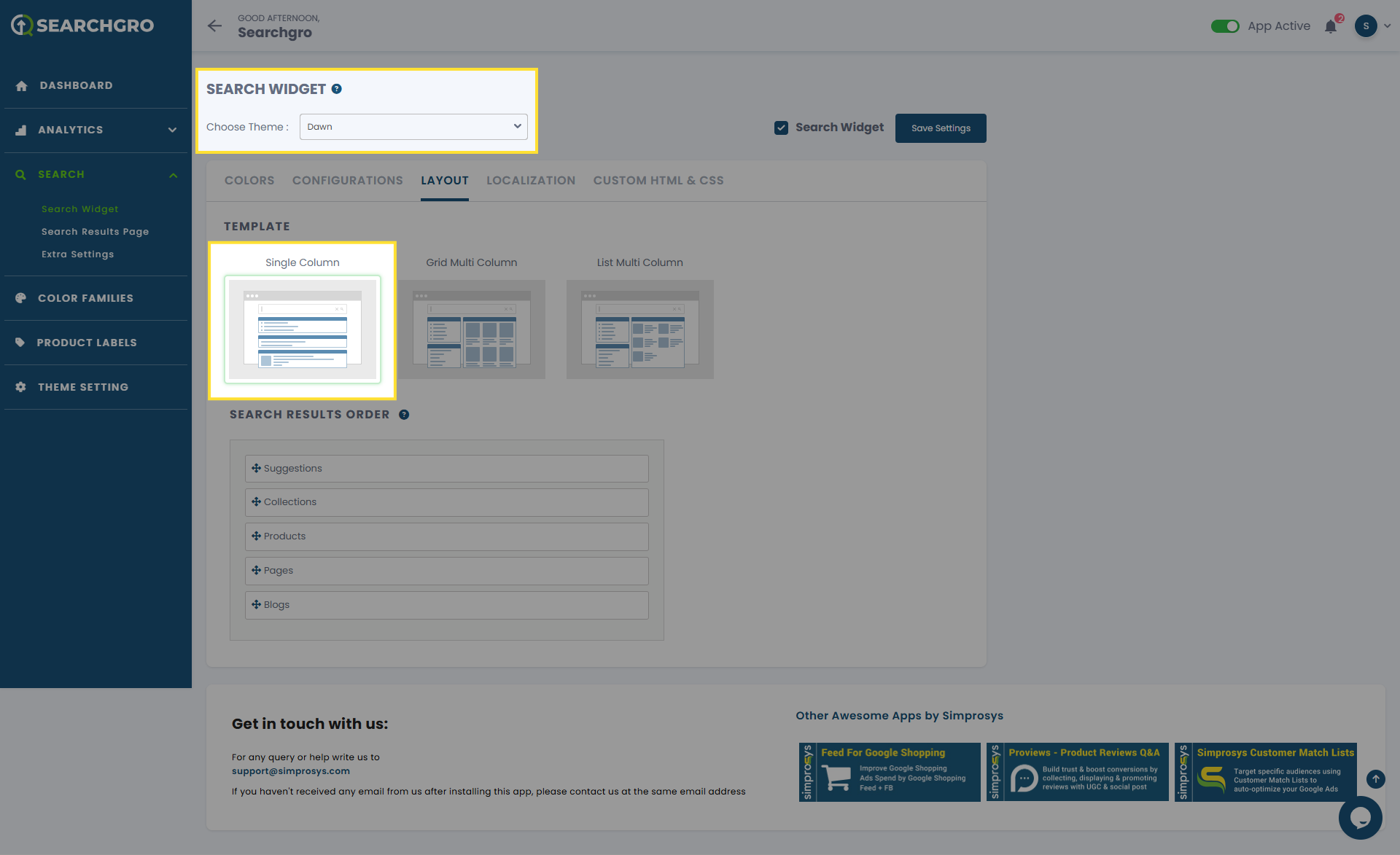
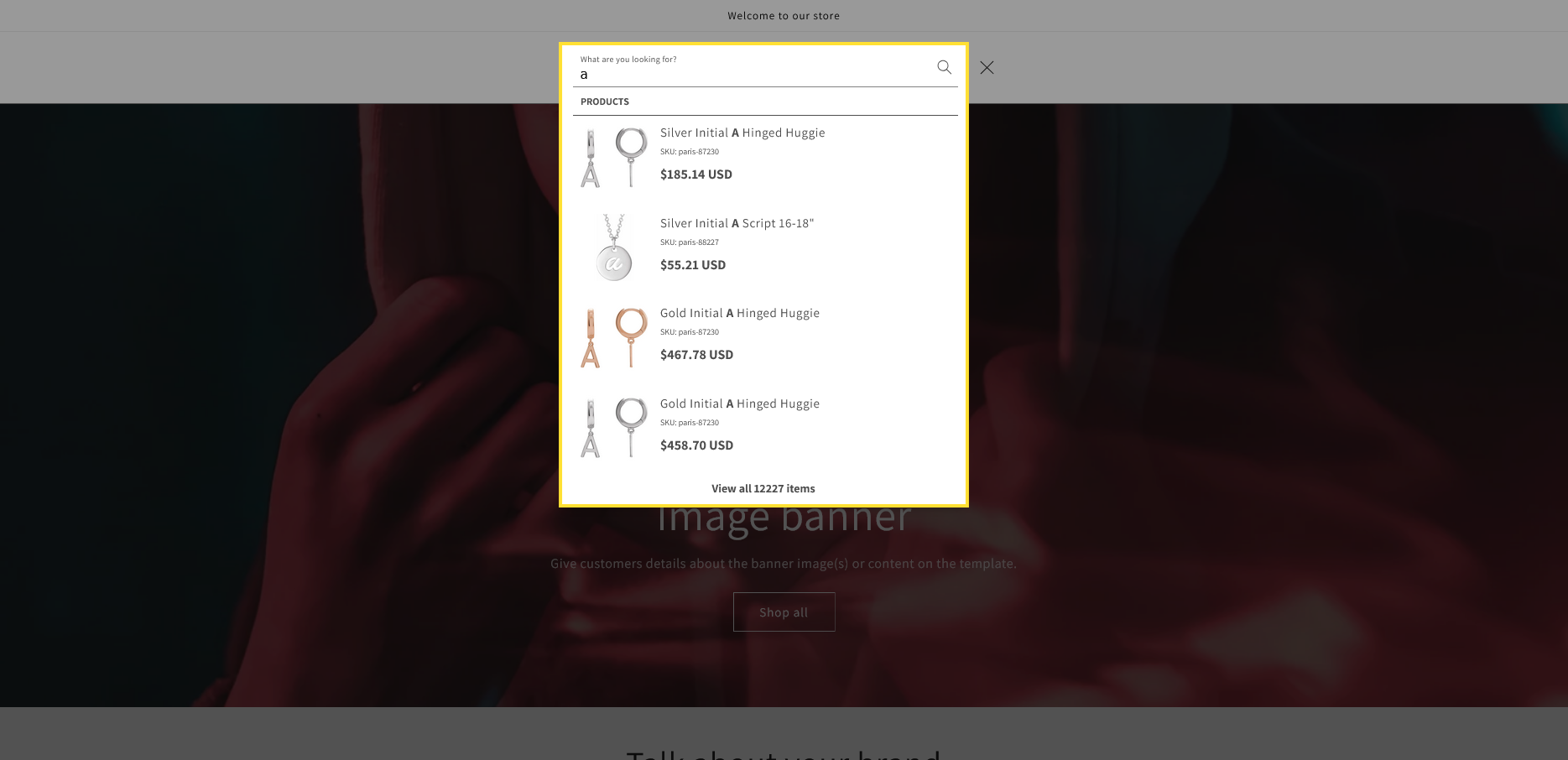
2 . Grid Multi Column
3. List Multi Column
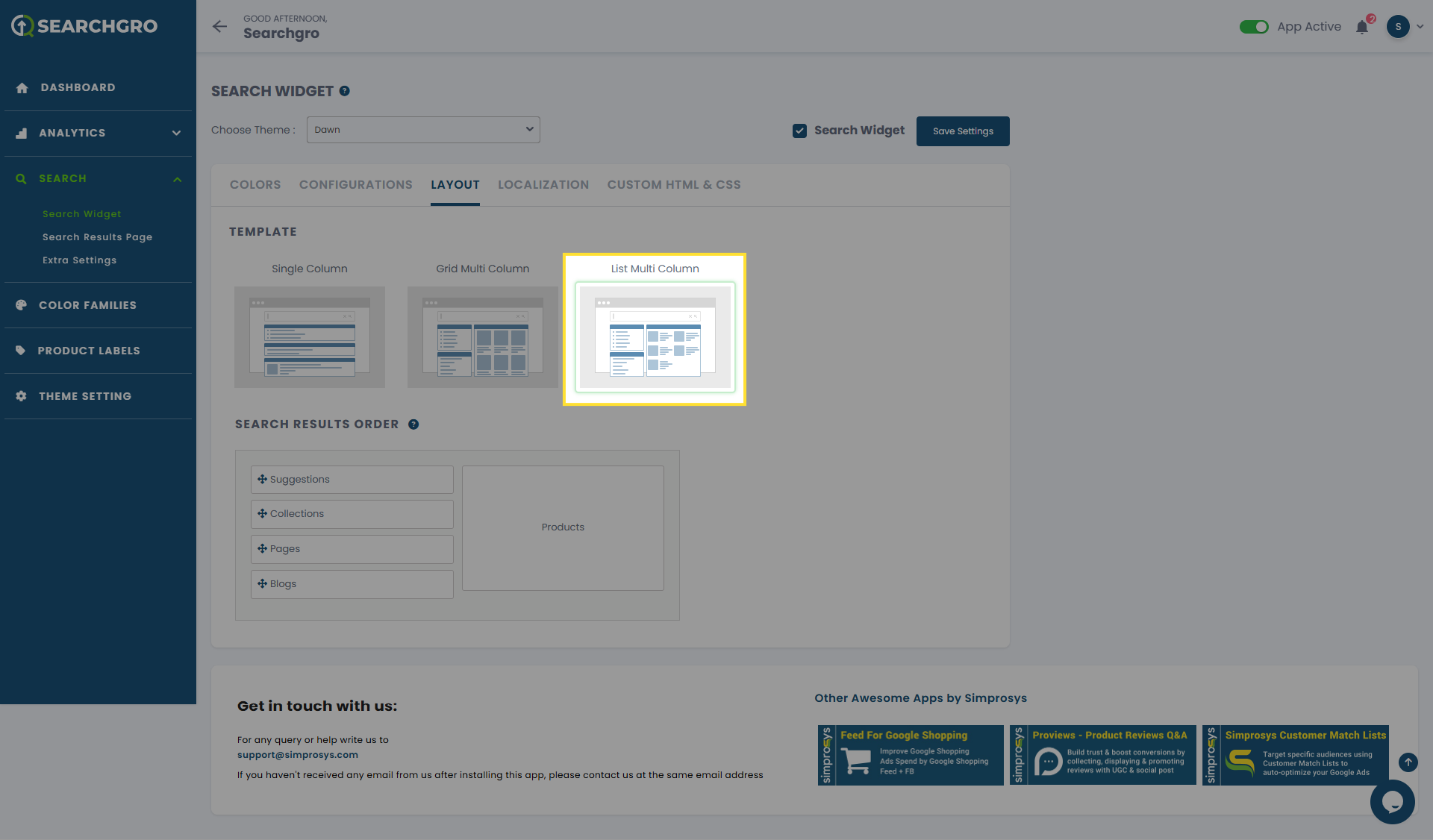
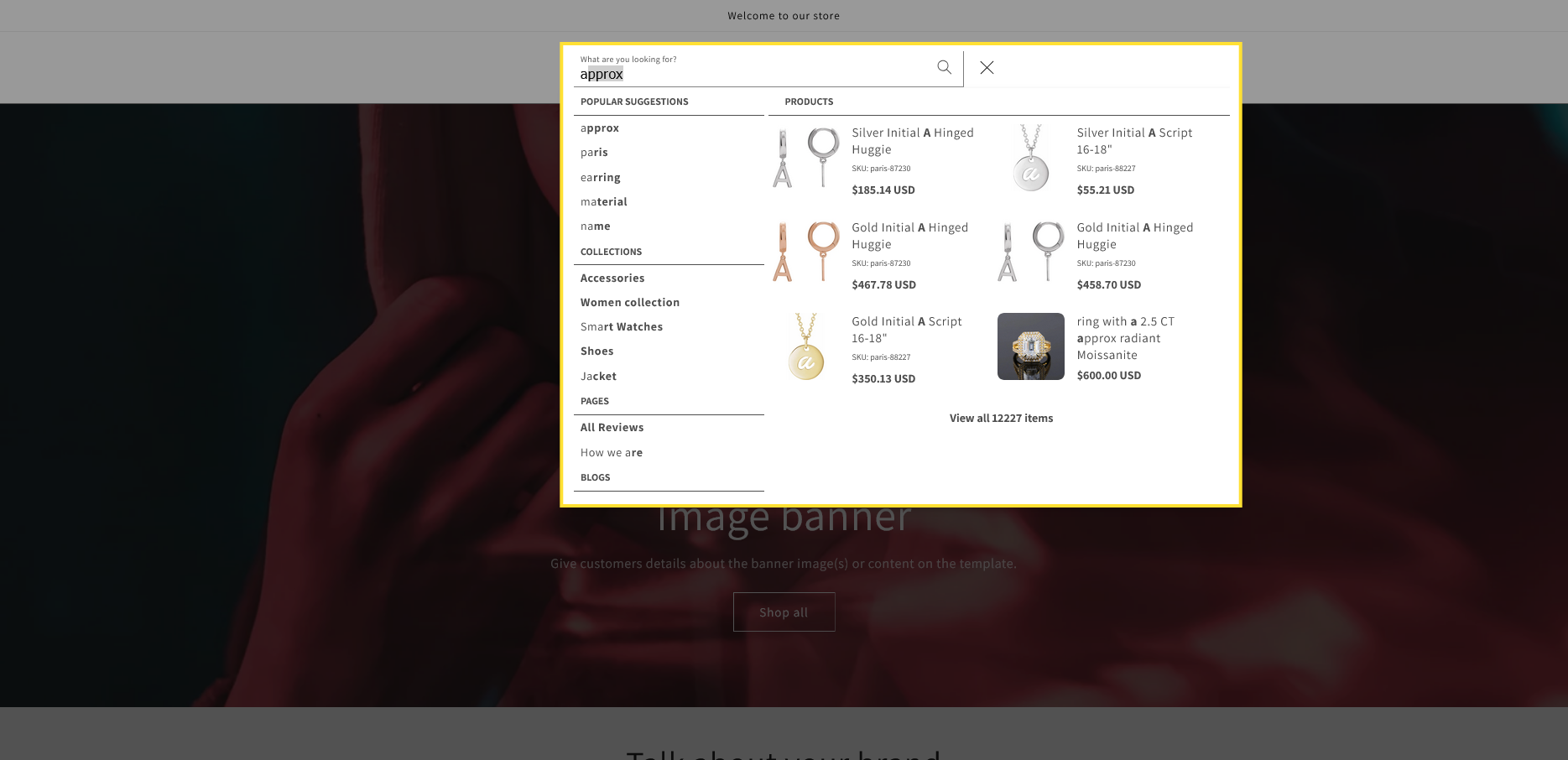
Choose the layout that best fits your store's design and provides the optimal user experience. Remember to save your changes.
Need help?
Click “Help Me” and our chatbot will appear. You can then ask questions or request assistance in real time.
For email support, feel free to reach out to us at support@simprosys.com
Previous article

Next article
SearchGro: Search & Filter
Onboarding Process
App Overview
Analytics
Search Widget Configuration
Search Result Page Configuration
Recently Viewed Widget
Color Families
Product Label
Market
Theme Setting
White Glove Setup
Theme Variable
Filter on Collection
Policies