
SearchGro: Search & Filter
Onboarding Process

App Overview
Analytics
Search Widget Configuration
Search Result Page Configuration
Recently Viewed Widget
Color Families
Product Label
Market
Theme Setting
White Glove Setup
Theme Variable
Filter on Collection
Policies


How To Enable The Filters On The Collection Page
Feb 03, 2026
Overview
The Products & Filters widget on collection pages provides filtering options, helping customers quickly sort and refine products by attributes like Vendor, Product Type, and Price.
This enhances the shopping experience by making it easier for customers to find what they're looking for.
How to Enable the Widget
Follow these steps to enable the Products & Filters on Collection Page widget in your Shopify theme:
Step-by-Step Instructions
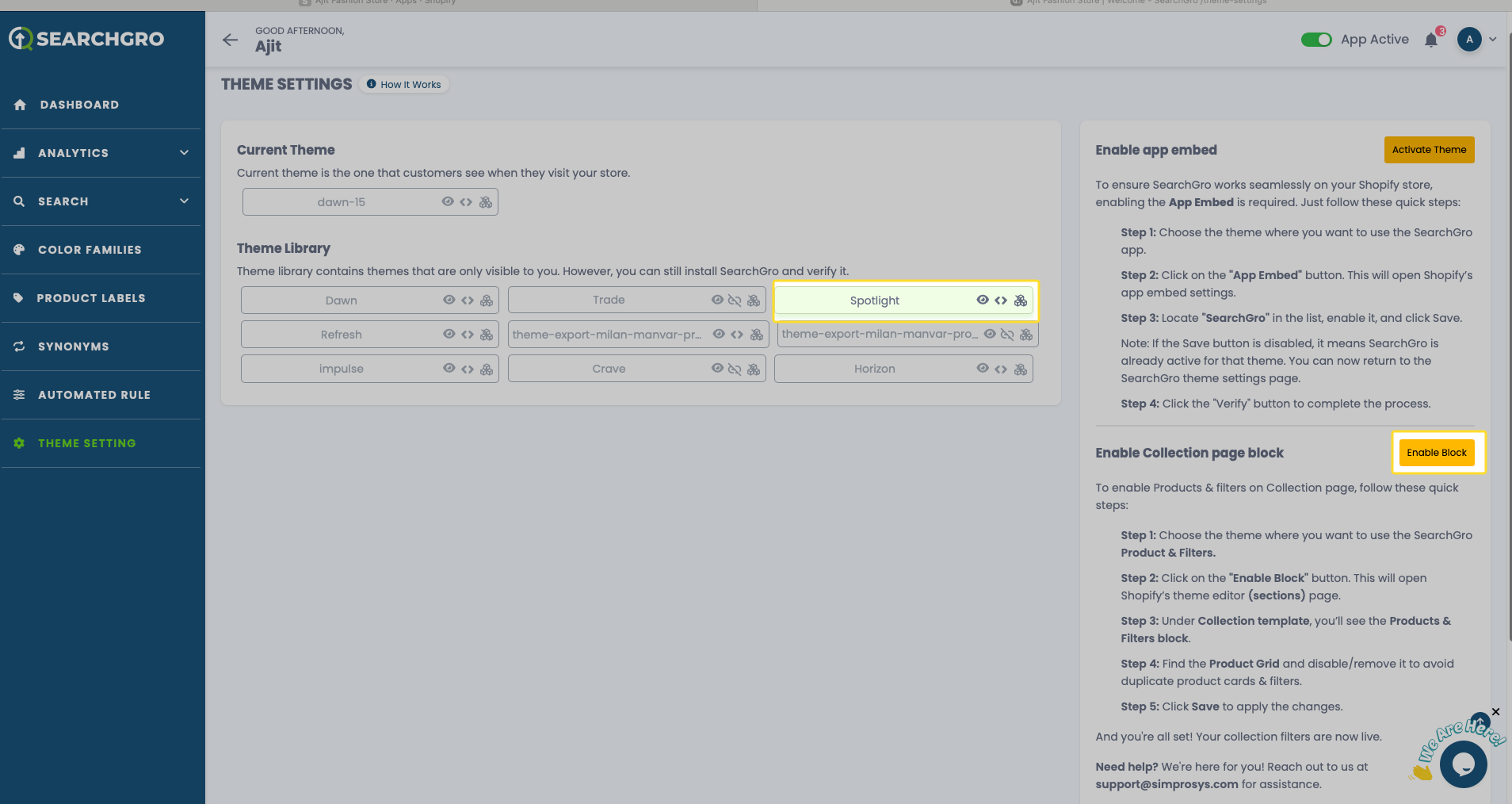
- Step 1: Choose the theme where you want to use the SearchGro Product & Filters.
- Step 2: Click the “Enable Block” button — this will open Shopify’s Theme Editor (Sections) page.
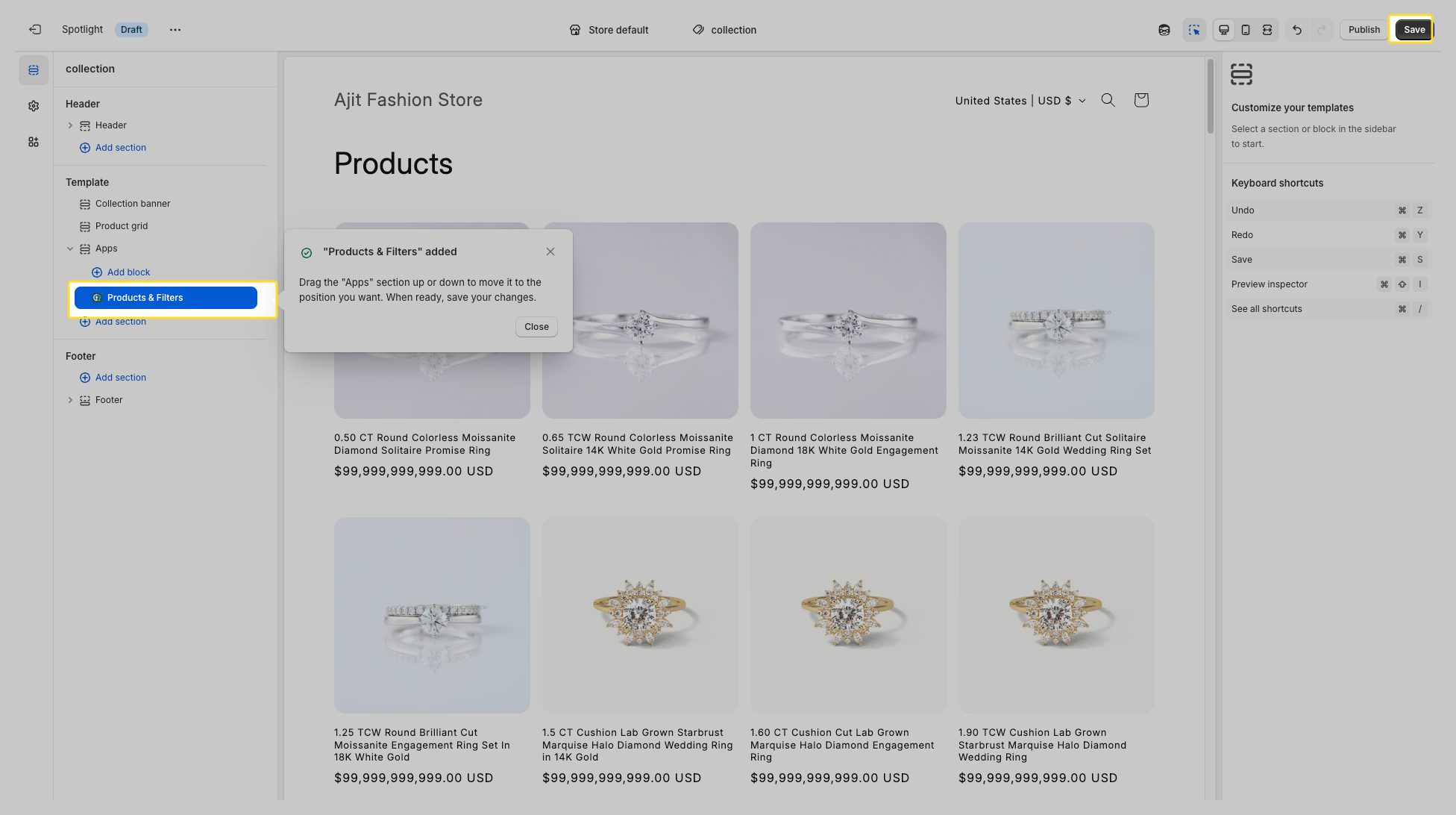
- Step 3: Under Collection template, you’ll see the Products & Filters block.
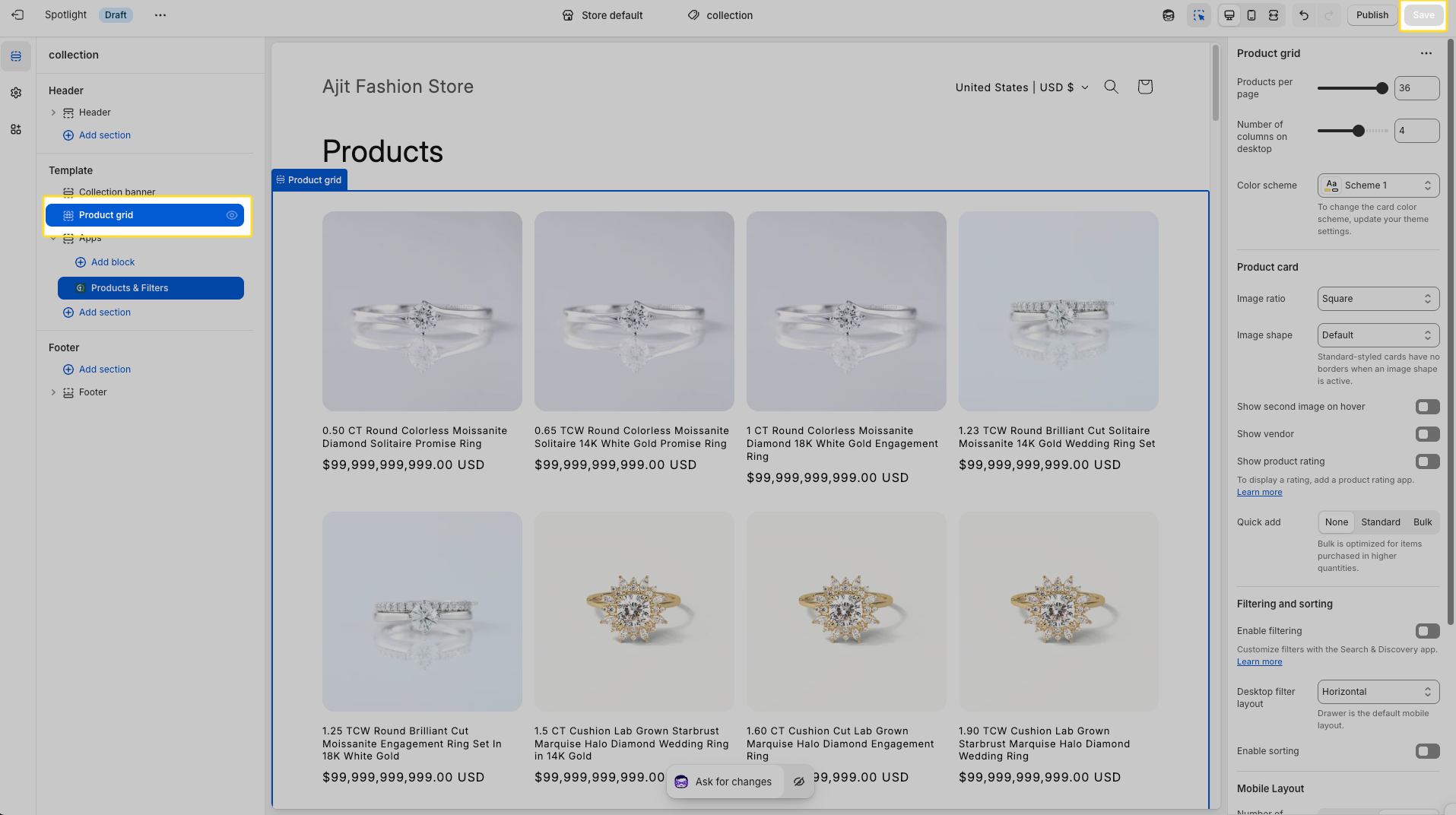
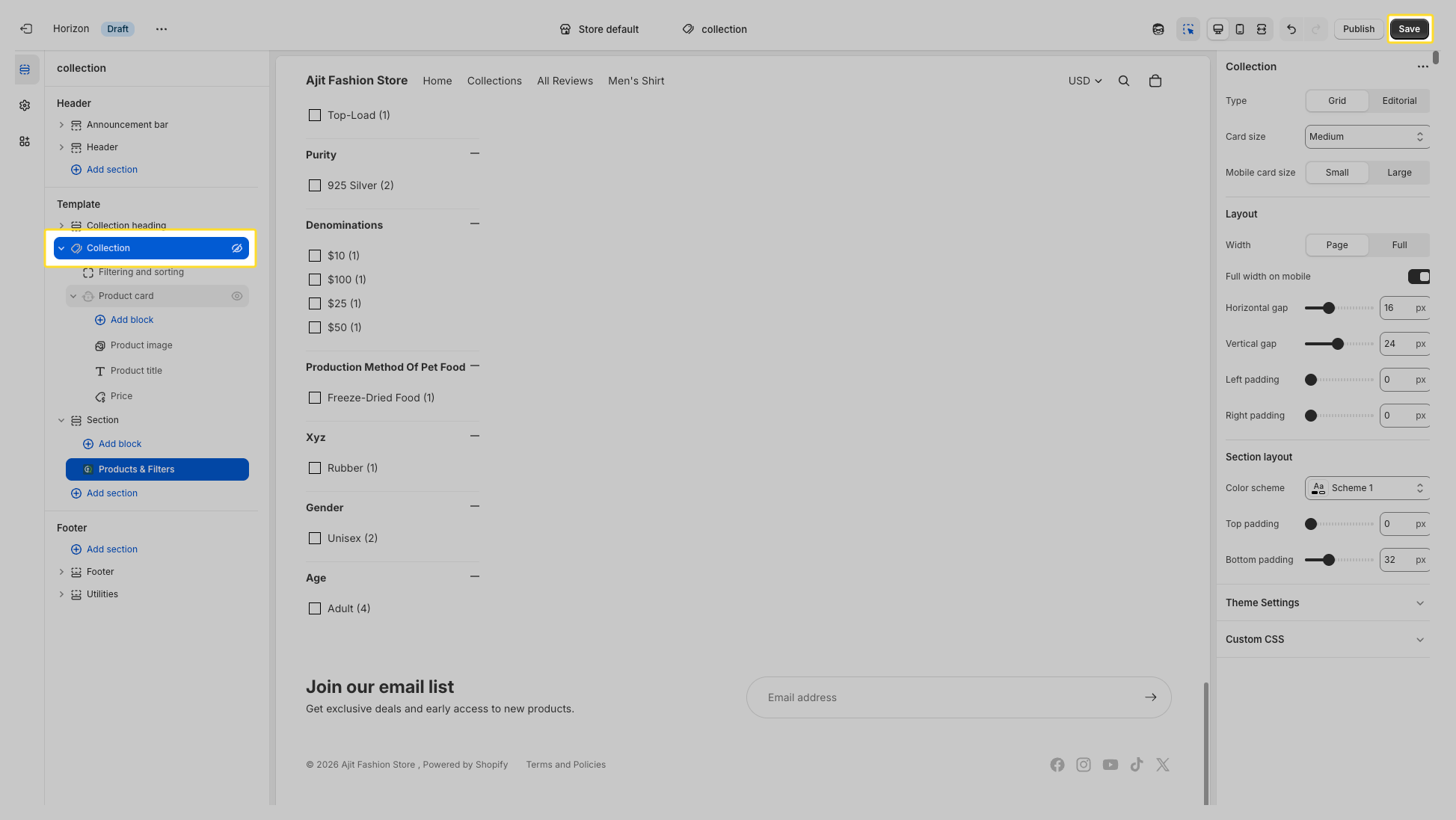
- Step 4: Find your theme’s existing Product Grid / Collection section and disable it to avoid duplicate product cards and filters.
- Step 5: Click Save to apply the changes.
Need Help?
Our support team is here to assist you if you encounter any issues or need help.
- Email: support@simprosys.com
- Live Chat: Available within the app for real-time support
Thank you for choosing Searchgro! We’re excited to help you enhance your store’s search experience.

SearchGro: Search & Filter
Onboarding Process
App Overview
Analytics
Search Widget Configuration
Search Result Page Configuration
Recently Viewed Widget
Color Families
Product Label
Market
Theme Setting
White Glove Setup
Theme Variable
Filter on Collection
Policies