SimprosysAPIs
Introduction and Account Setup

Channel Integration
Feed Configuration
Product Data Source Setup
Manage Products
Dashboard
Automated Feed Rules
Product Details
Promotions & Discounts
Google-Calculated Delivery Speed Estimates
Legal Polices

Enable Google-Calculated Delivery Speed Estimates in SimprosysAPIs
Nov 18, 2026
This guide outlines how to connect your account and enable order tracking data submission to display Google-calculated delivery speed estimates on your product listings.
Eligibility Note: This feature appears under the Google channel integration if your primary target country is set to the United States.
Step 1: Access Delivery Speed Estimates
- In the left navigation menu, go to Google → Google-Calculated Delivery Speed Estimates.
- Click Google-Calculated Delivery Speed Estimates.
(Note: If your primary target country is not set to the United States, this menu option will not be visible.)
Step 2: Connect Your Google Account
- On the Google-Calculated Delivery Speed Estimates landing page, click Sign in with Google.
- Select or sign in to the Google Account associated with your store.
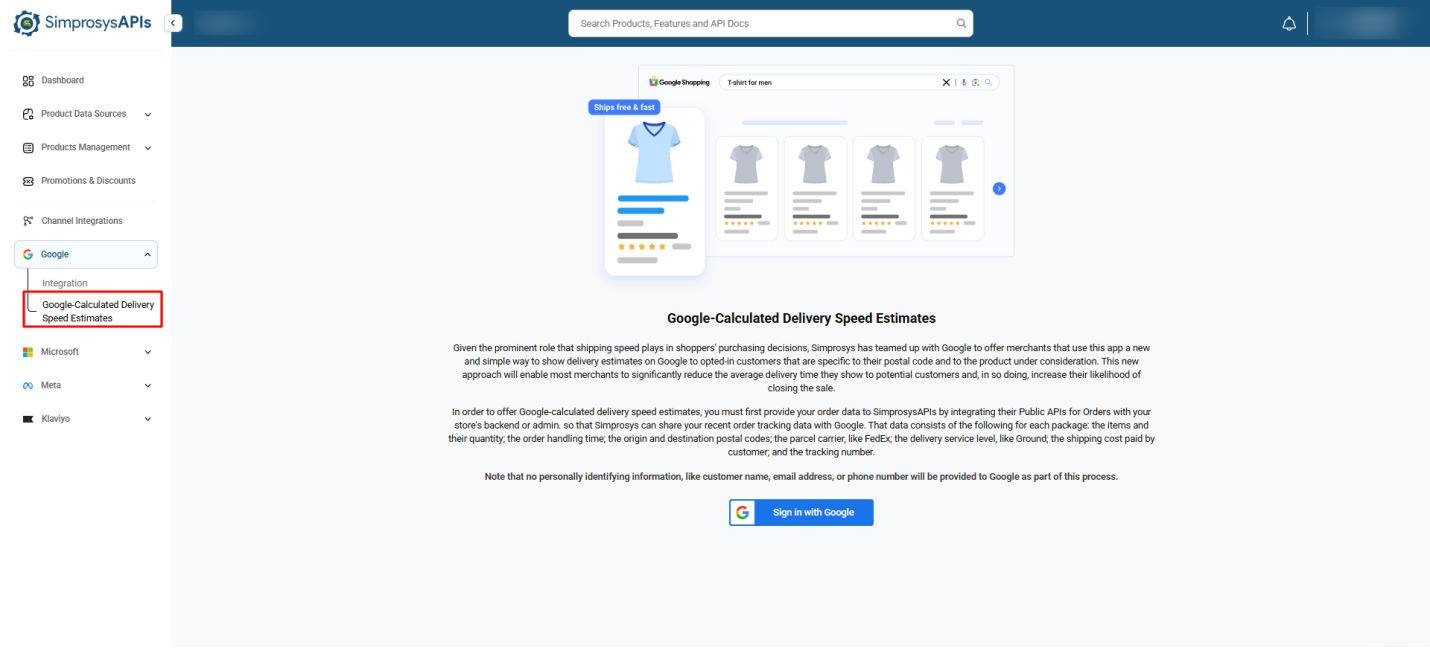
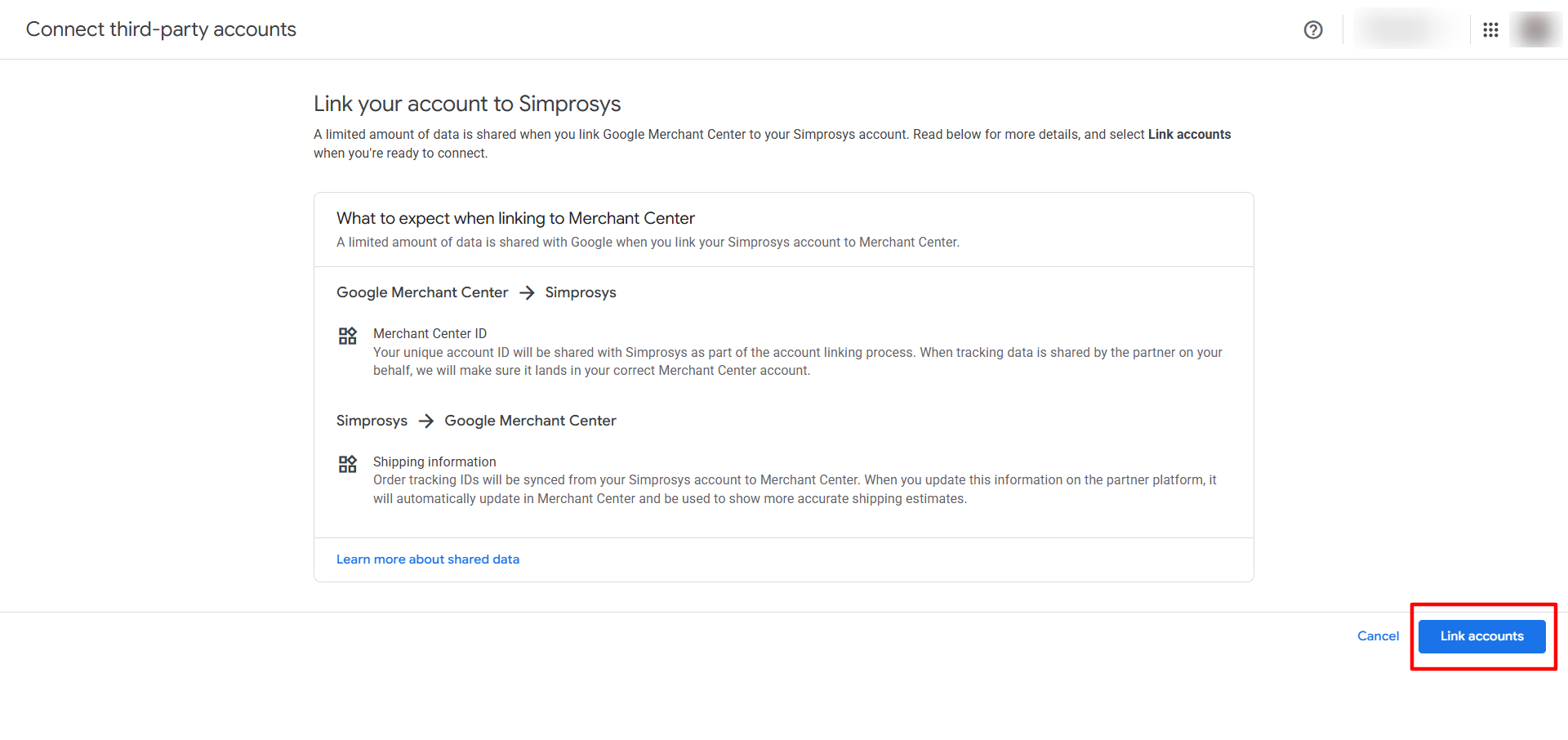
- You will be redirected to the Connect third-party accounts page in Google Merchant Center.
- If Simprosys is not linked with your Google Merchant Center, then you have to link manually by clicking the " Link Account” button, and your Simprosys account will be linked to your connected Google Merchant Center.
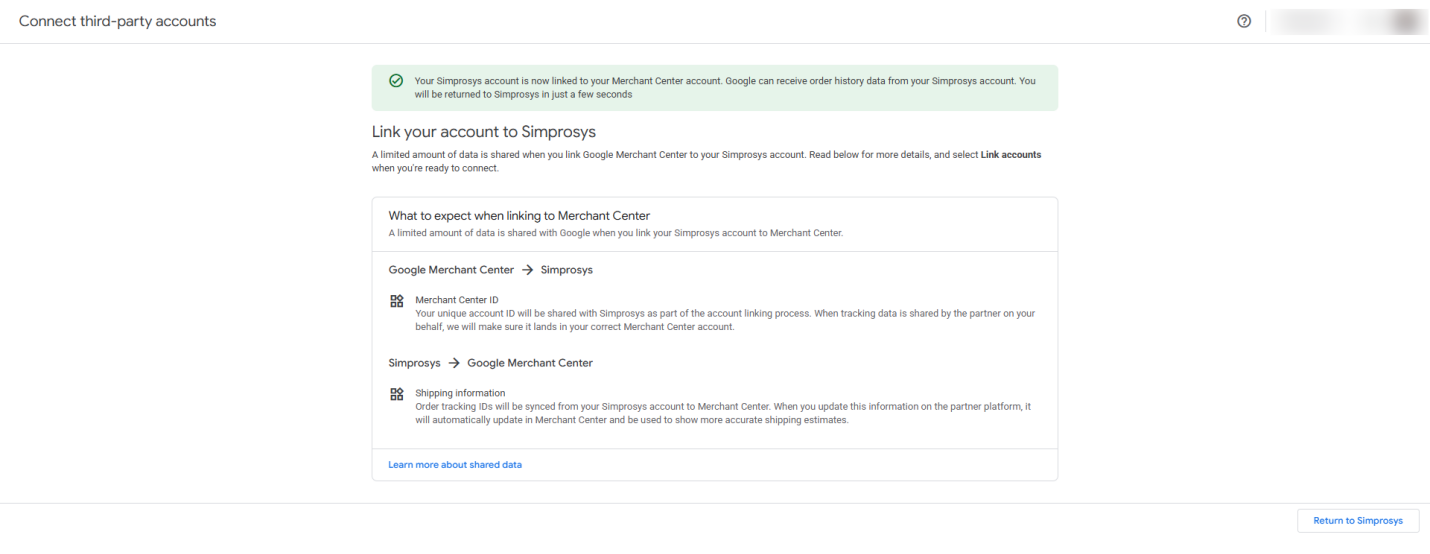
- Once the account linking process completes, a green success banner reading "Your Simprosys account is now linked to your Merchant Center account" will confirm the setup, and you will be redirected back to your store in our platform automatically within a few seconds with order tracking signals enabled.
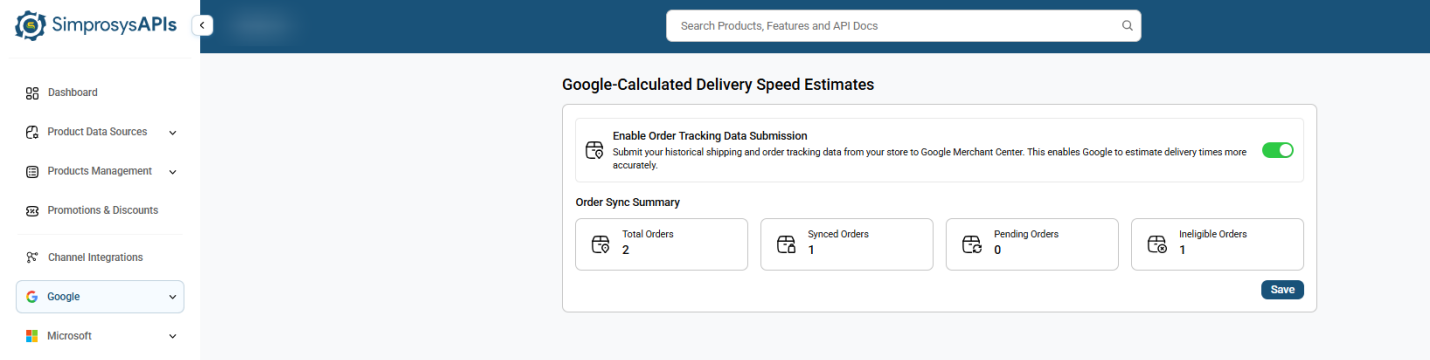
Order Sync Summary Dashboard
Once enabled, you can monitor the synchronization progress via the Order Sync Summary cards:
- Total Orders: Total count of orders received.
- Synced Orders: Orders successfully transmitted to Google Merchant Center.
- Pending Orders: Orders currently queued for data processing.
- Ineligible Orders: Orders missing required tracking numbers or delivery details.
For detailed information on how Google calculates estimated delivery speeds, please refer to this Google Help Document.
Note: Submit your order details via this API to sync your Order ID and shipping attributes with our platform, enabling Google to display accurate delivery estimates on your product listings. Simprosys Add Order API.
Need help?
For email support, feel free to reach out to us at support@simprosys.com

SimprosysAPIs
Introduction and Account Setup
Channel Integration
Feed Configuration
Product Data Source Setup
Manage Products
Dashboard
Automated Feed Rules
Product Details
Promotions & Discounts
Google-Calculated Delivery Speed Estimates
Legal Polices