SimprosysAPIs
Introduction and Account Setup

Channel Integration
Feed Configuration
Product Data Source Setup
Manage Products
Dashboard
Automated Feed Rules
Legal Polices

Setting Up a Data Source in SimprosysAPIs
Oct 22, 2026
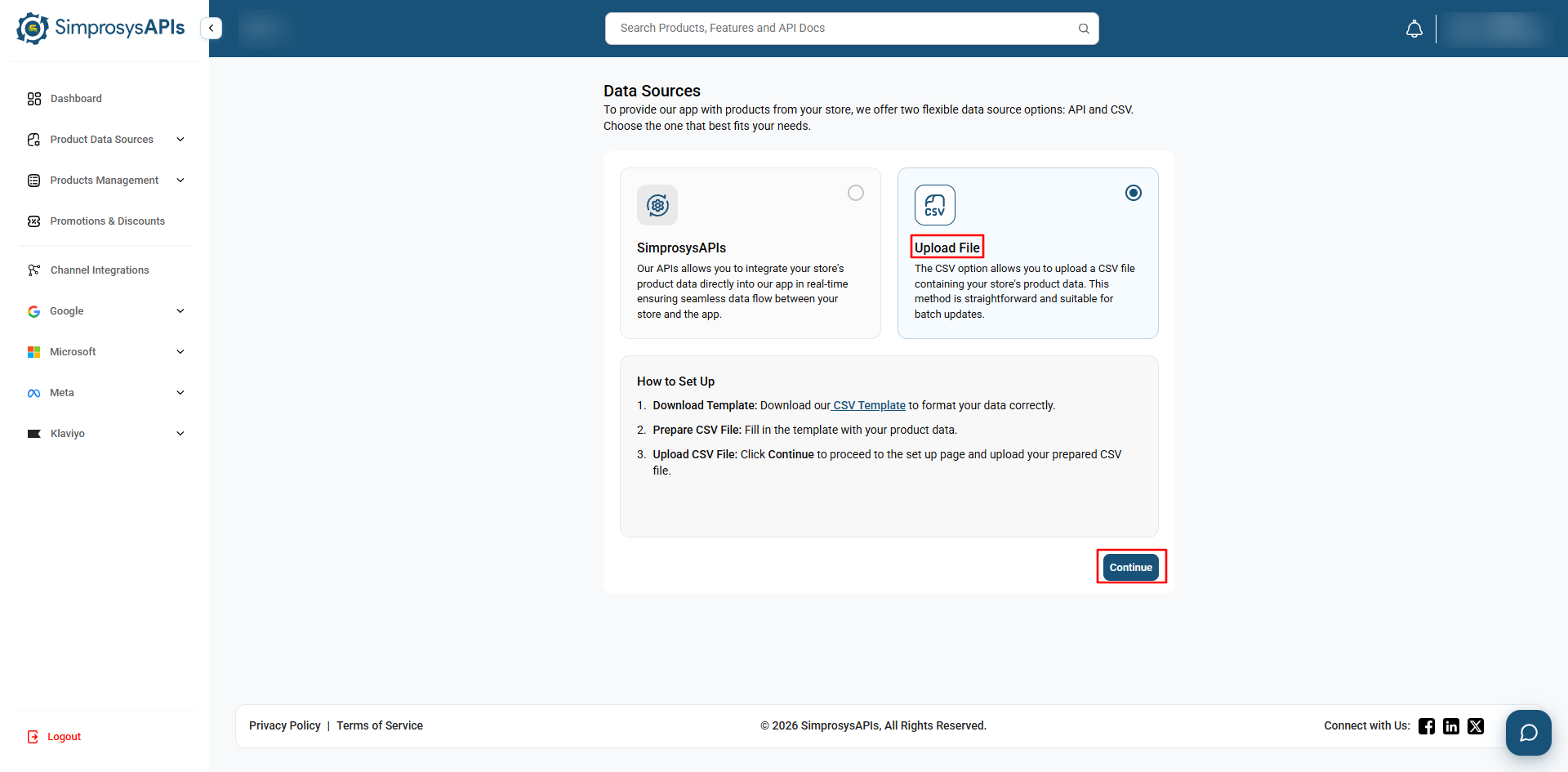
SimprosysAPIs platform allows you to add products using either the API or a CSV file. Choose the method that best fits your store's technical setup and requirements.
1. SimprosysAPIs Data Source
- Use our APIs to sync your store’s products with our platform, enabling seamless real-time synchronization of product data between your store and the SimprosysAPIs platform.
Set Up Credentials
- Select the SimprosysAPIs data source and click Continue.
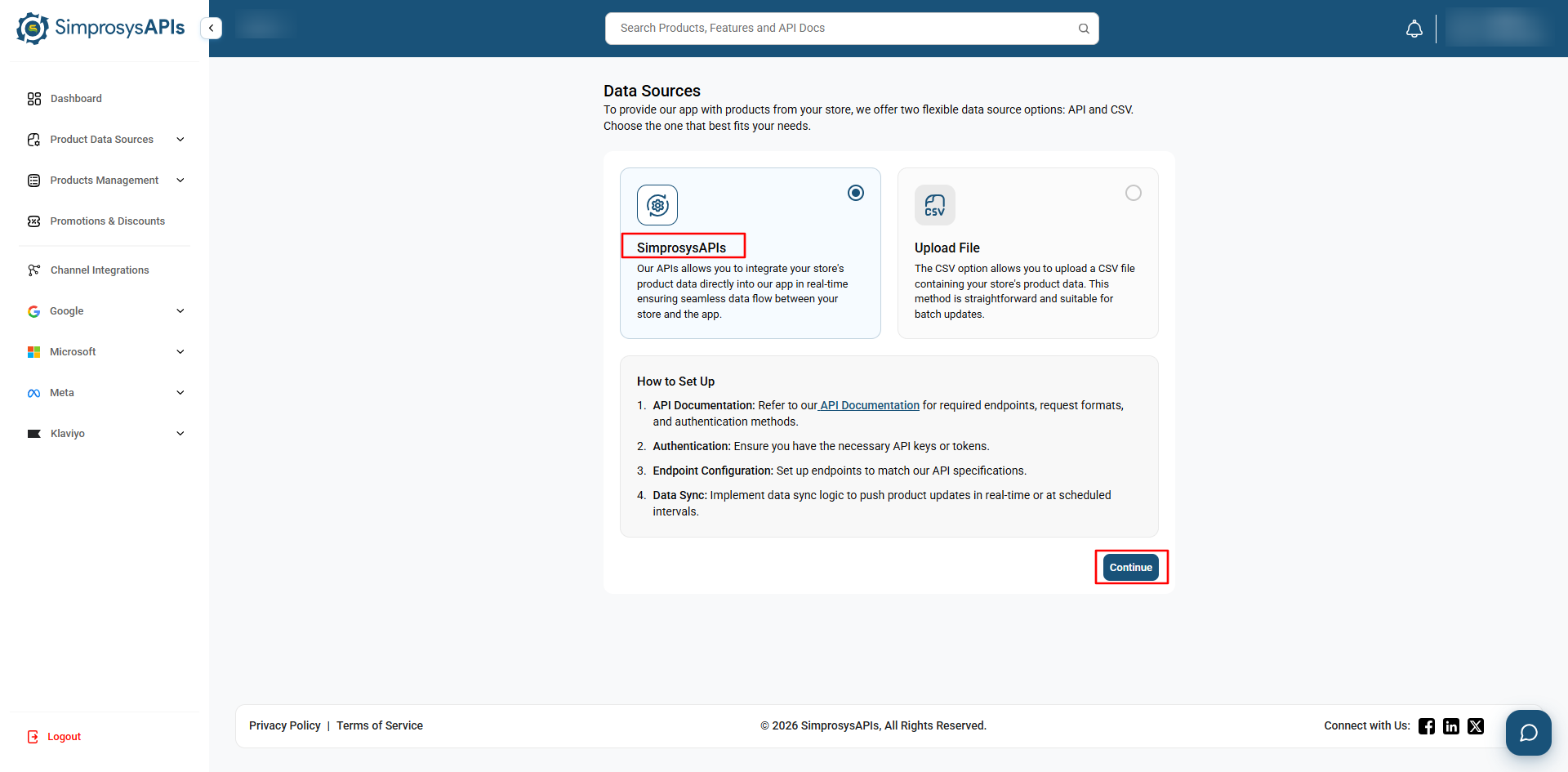
- You will be prompted to add an IP address or domain and a description. Both fields are optional.
- Click Generate API Credentials to generate your Client ID and Client Secret.
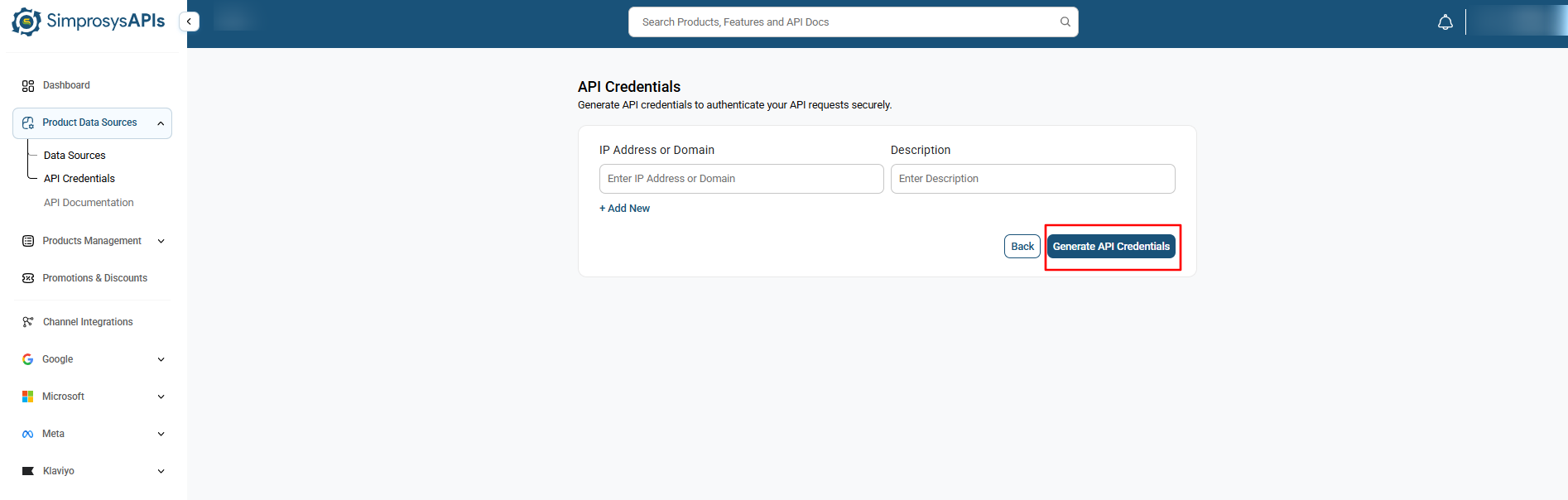
- You will be redirected to the two-factor authentication screen.
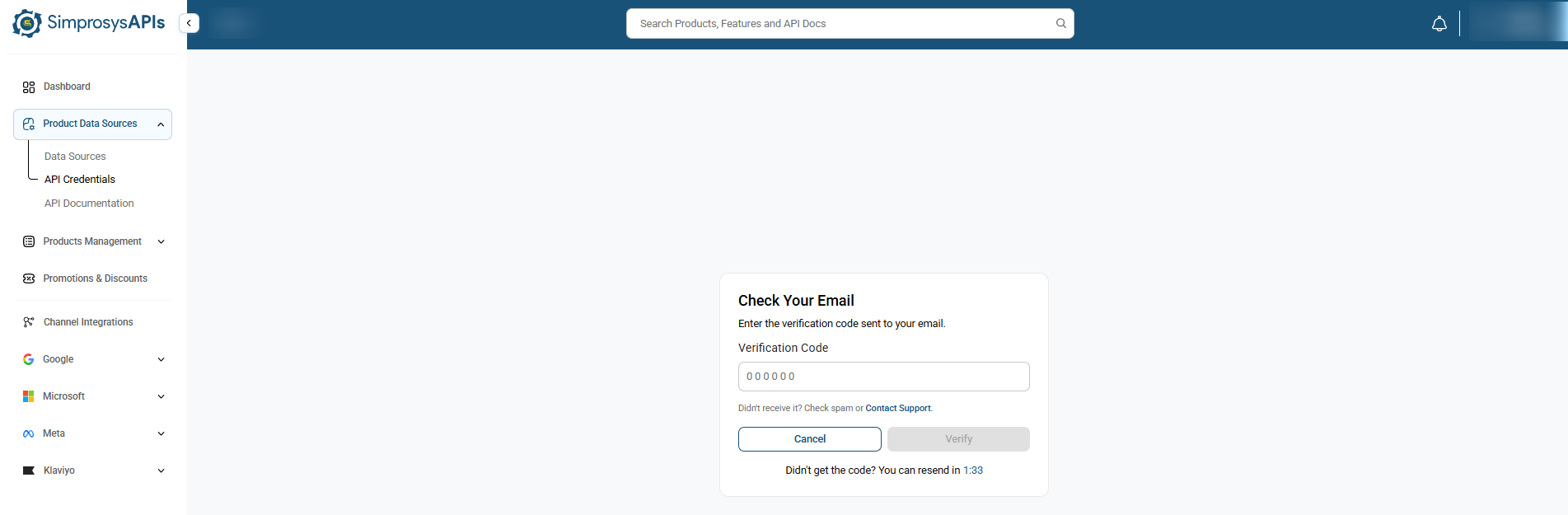
- Enter the 6-digit verification code sent to your registered email address.
- Once authentication is completed successfully, you will be redirected to the generated credentials page.
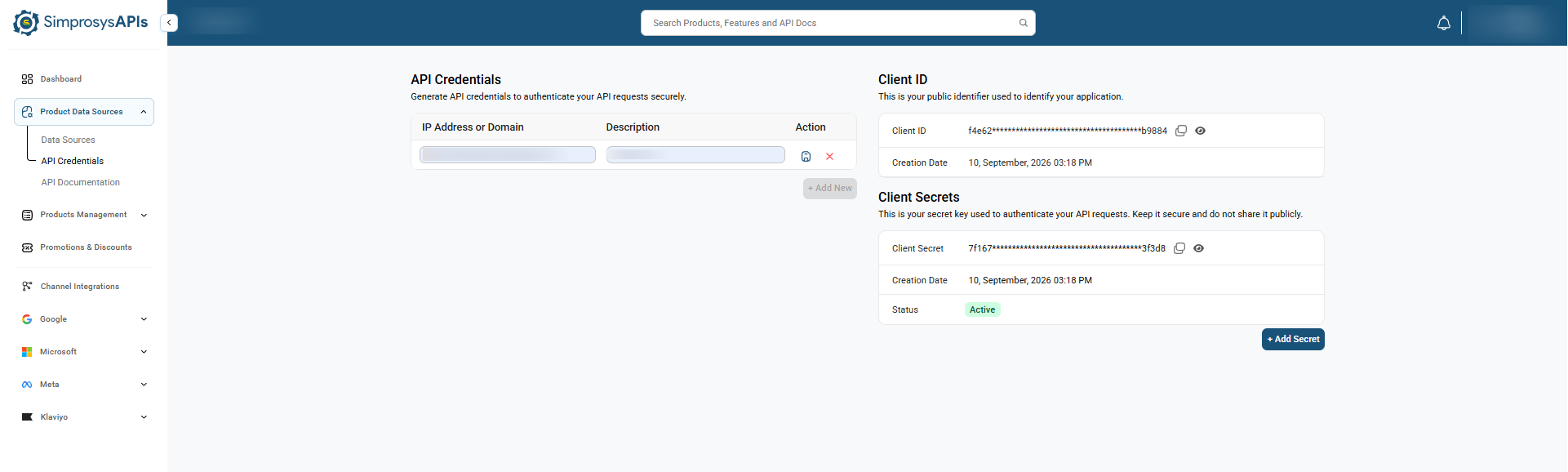
- Use these credentials to connect your store product data with our APIs to add, update, or delete products in the SimprosysAPIs platform.
- This option is recommended for syncing your product data through API calls and keeping it up to date in the platform.
How It Works
- After initiating API update calls, subsequent changes to your product data are automatically synced to the SimprosysAPIs platform in real time.
- This option is ideal for automated, scalable, and continuous product feed updates.
2. CSV Data Source
- Upload your product data manually using a CSV file or provide a publicly accessible CSV file URL.
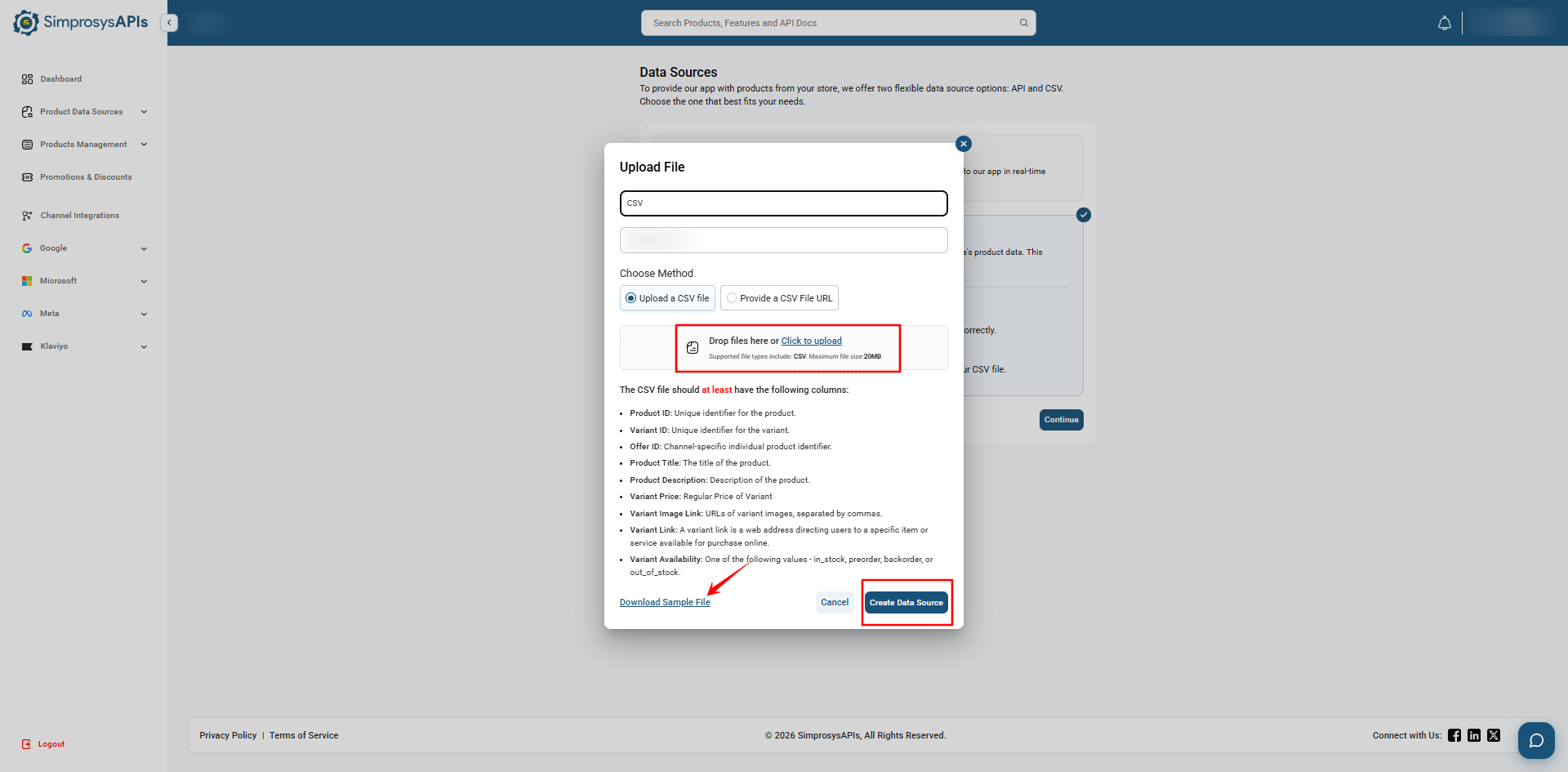
- Download the Sample File from the Upload File section to ensure your product data follows the required format.
- Review the CSV upload instructions to ensure your file contains all mandatory fields before uploading.
CSV File Upload
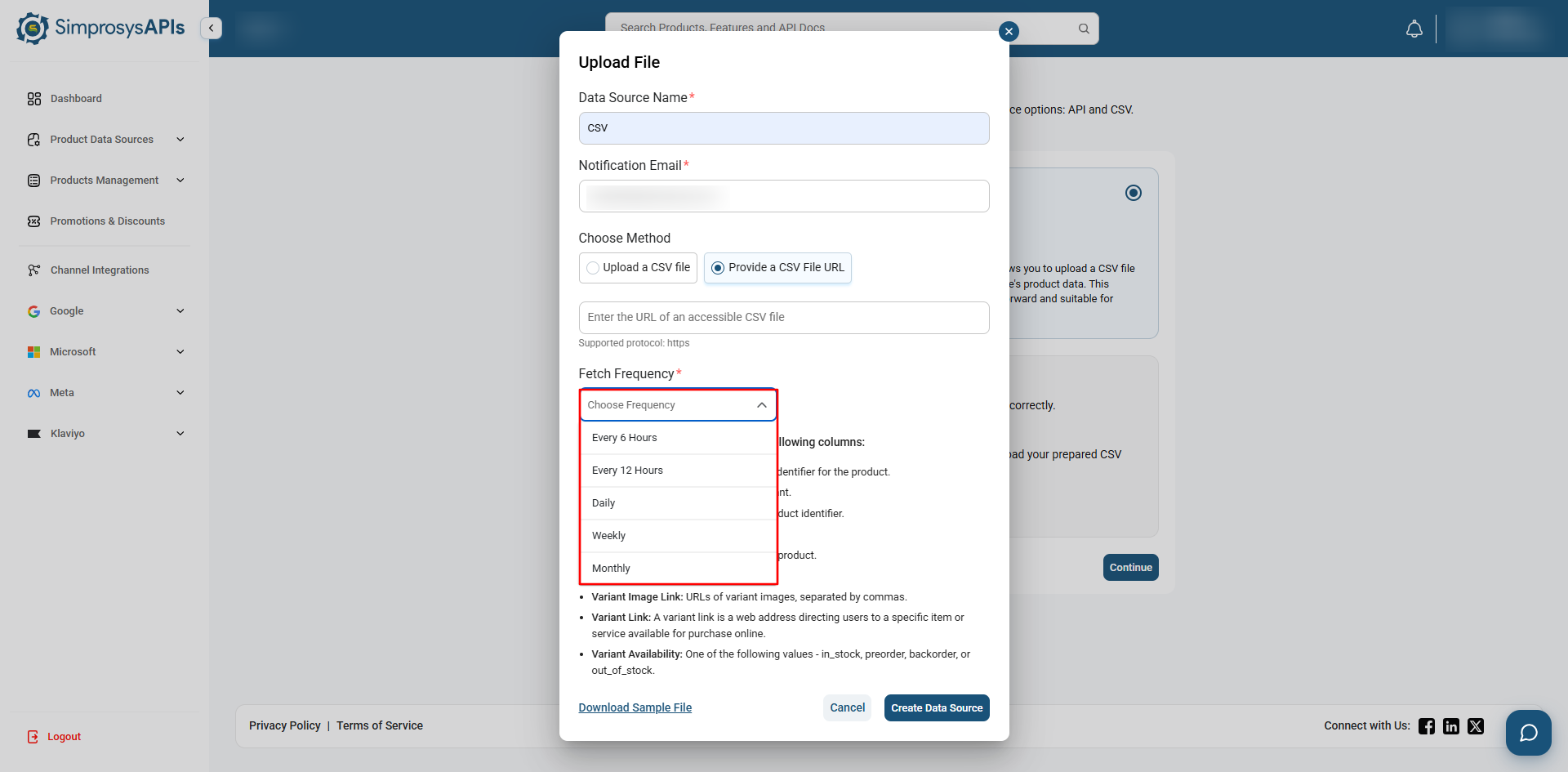
- Select the Upload File option to upload your CSV file, or select Provide a CSV File URL to import product data from a publicly accessible CSV URL.
- Once the file is uploaded successfully, SimprosysAPIs validates the product data and sends the validation results to your registered email address.
- If you choose to provide a CSV file URL, you can select time for how often our platform checks the link for updates (Every 6 Hours, Every 12 Hours, Daily, Weekly, or Monthly).
- Click Create Data Source after uploading your CSV file or entering the URL to complete the process.
Single API Data Source Limit
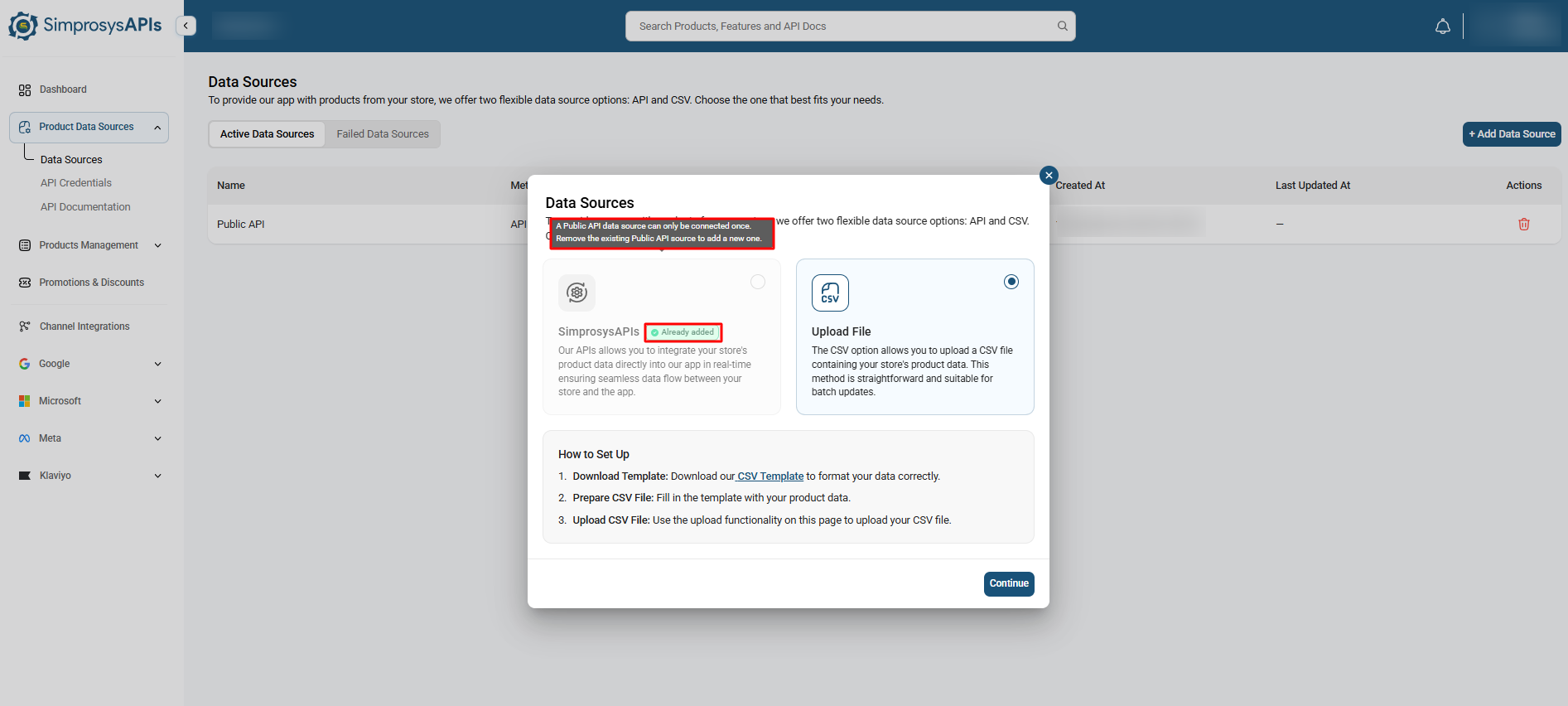
Only one API Data Source can be active in your store at any given time. If an API data source already exists:
- You cannot add a second API data source. The option will appear unavailable when adding a new data source.
- To use a different API connection, you must delete the existing API Data Source first before creating a new one.
- Alternatively, you can upload product data using Upload File (CSV)
Need help?
For email support, feel free to reach out to us at support@simprosys.com

SimprosysAPIs
Introduction and Account Setup
Channel Integration
Feed Configuration
Product Data Source Setup
Manage Products
Dashboard
Automated Feed Rules
Legal Polices