SimprosysAPIs
Introduction and Account Setup

Channel Integration
Feed Configuration
Product Data Source Setup
Legal Polices
Manage Products

How to Set Up Google Local Inventory Ads in SimprosysAPIs - Step-by-Step Guide
Oct 07, 2026
Google Local Inventory Ads (LIA) display your in-store product availability to nearby shoppers on Google. SimprosysAPIs syncs your physical store inventory to Google Merchant Center in real time.
Prerequisites
- Connected Google Shopping Channel: Google Shopping must be active with Status: Connected and Feed Status: Toggled ON.
- Google Business Profile: Admin access to your store’s Google Business Profile.
- Locations Created via API: Create physical stores using the Locations API before mapping.
Note: Our platform submits local inventory data to Google Merchant Center only for products added through API data sources. We do not submit Google Local Inventory data for the products added through a CSV data source.
Step-by-Step Setup
1. Authorize Google Business Profile
- Go to Channel Integrations in the SimprosysAPIs Platform.
- Locate Google Local Inventory Ads (LIA) and click Sign in with Google (enabled only after Google Shopping is connected).
- Sign in to your Google Business Profile account, review permissions, and click Allow.
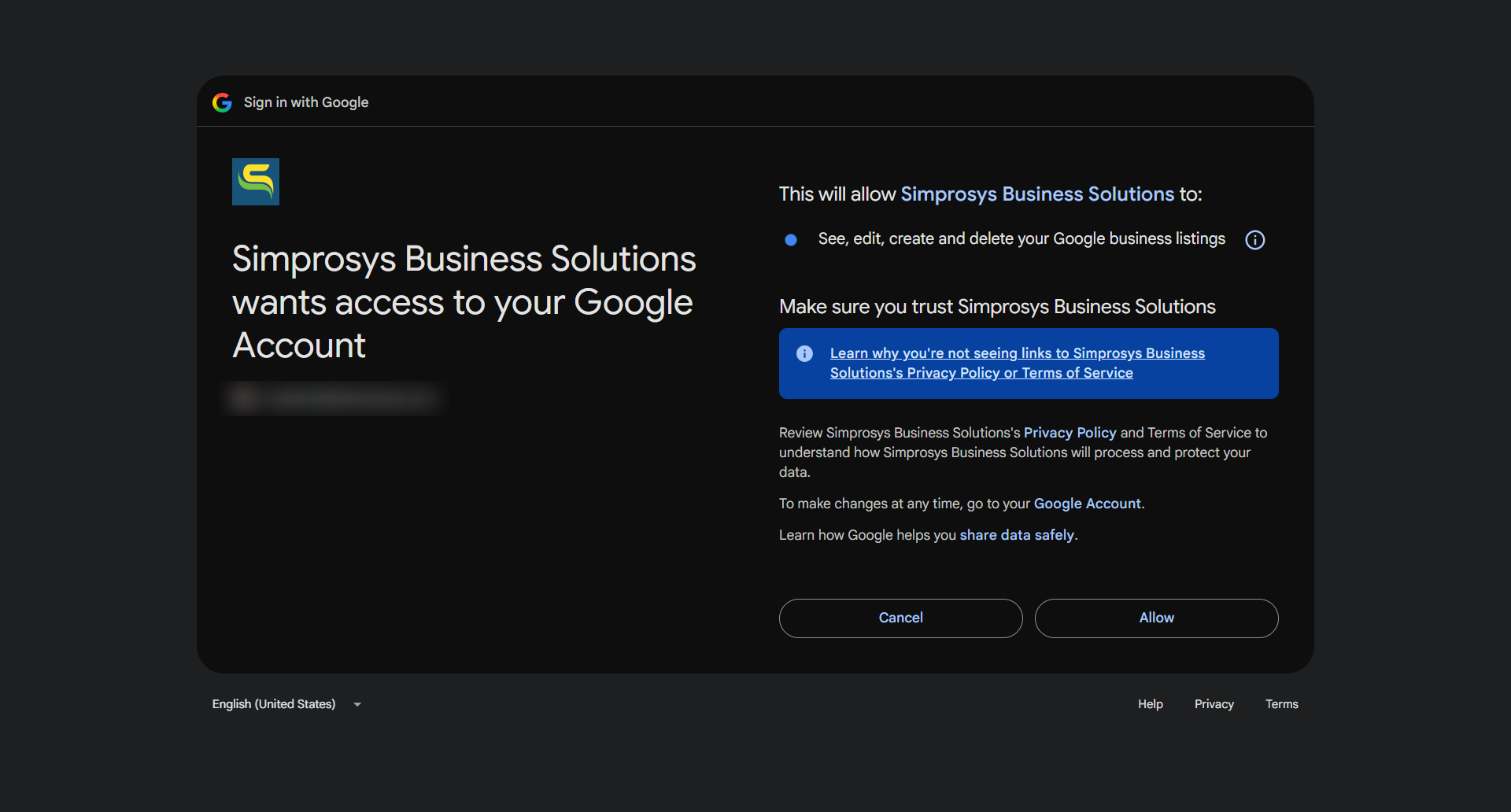
2. Connect Your Profile
- Select your Google Business Profile connected with your Google account from the dropdown.
- Ensure the Free Local Listings or Local Inventory Ads program is enabled in Google Merchant Center.
- Click Confirm and Continue.
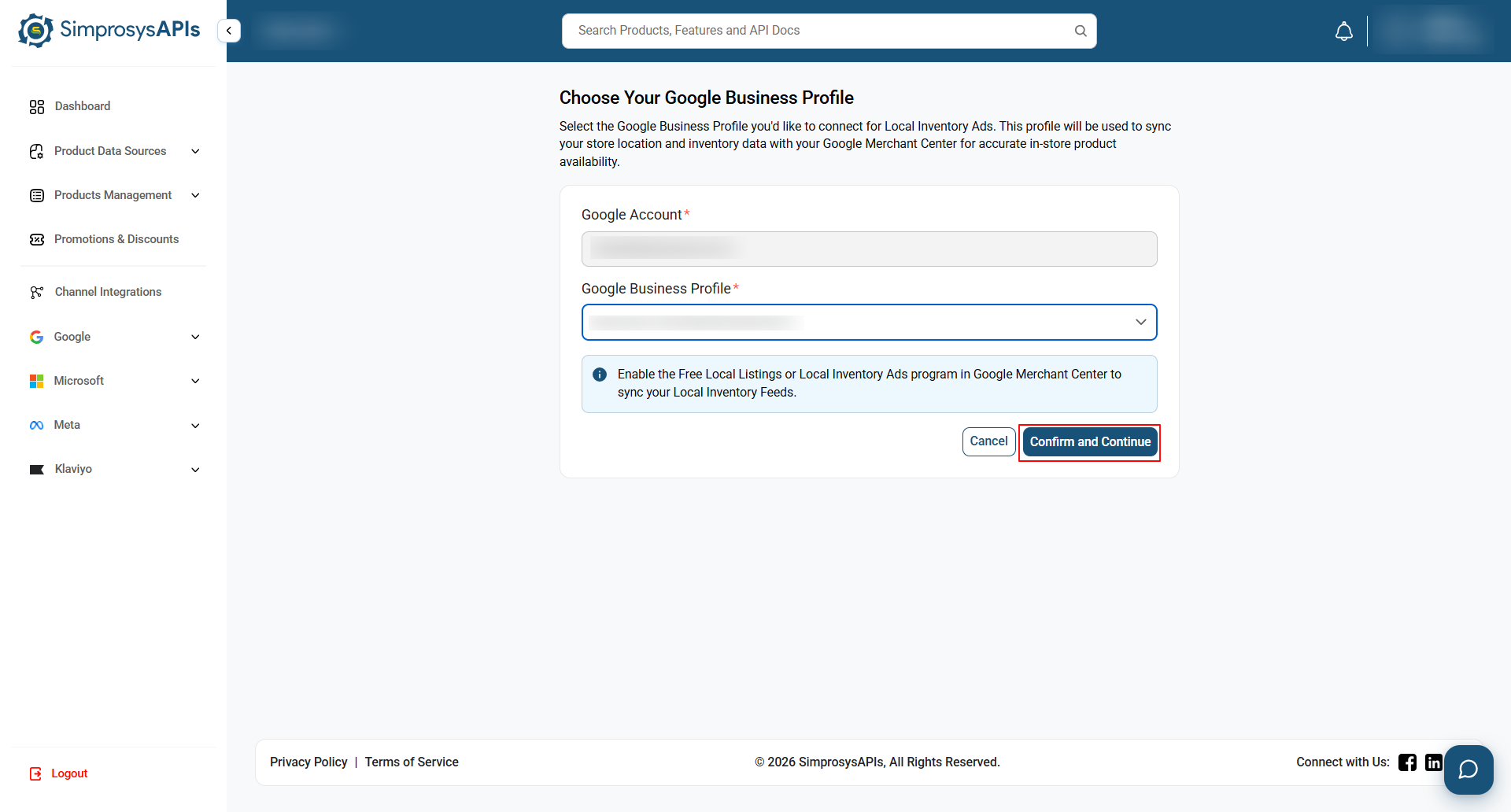
3. Map Store Locations
Note: Ensure store locations are created via the Locations API first. See Locations API documentation →
- Under Store Code, select your physical store code.
- Under Inventory Location, pick the matching inventory location.
- Click Save.
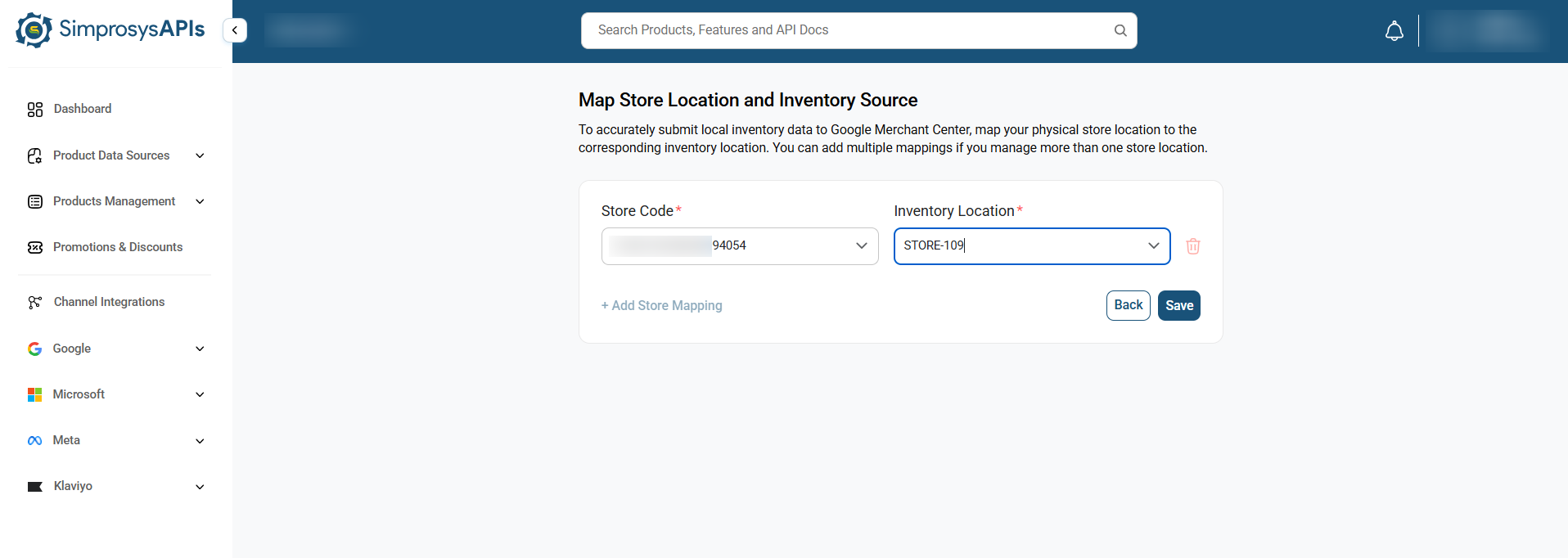
4. Verify Integration Completion
- Go to the Channel Integrations page.
- Locate the Google Local Inventory Ads (LIA) card and verify:
- Google Business Profile: Displayed correctly
- Store Mapping: Configured correctly
- Feed Status: Toggled ON
- Status: Connected
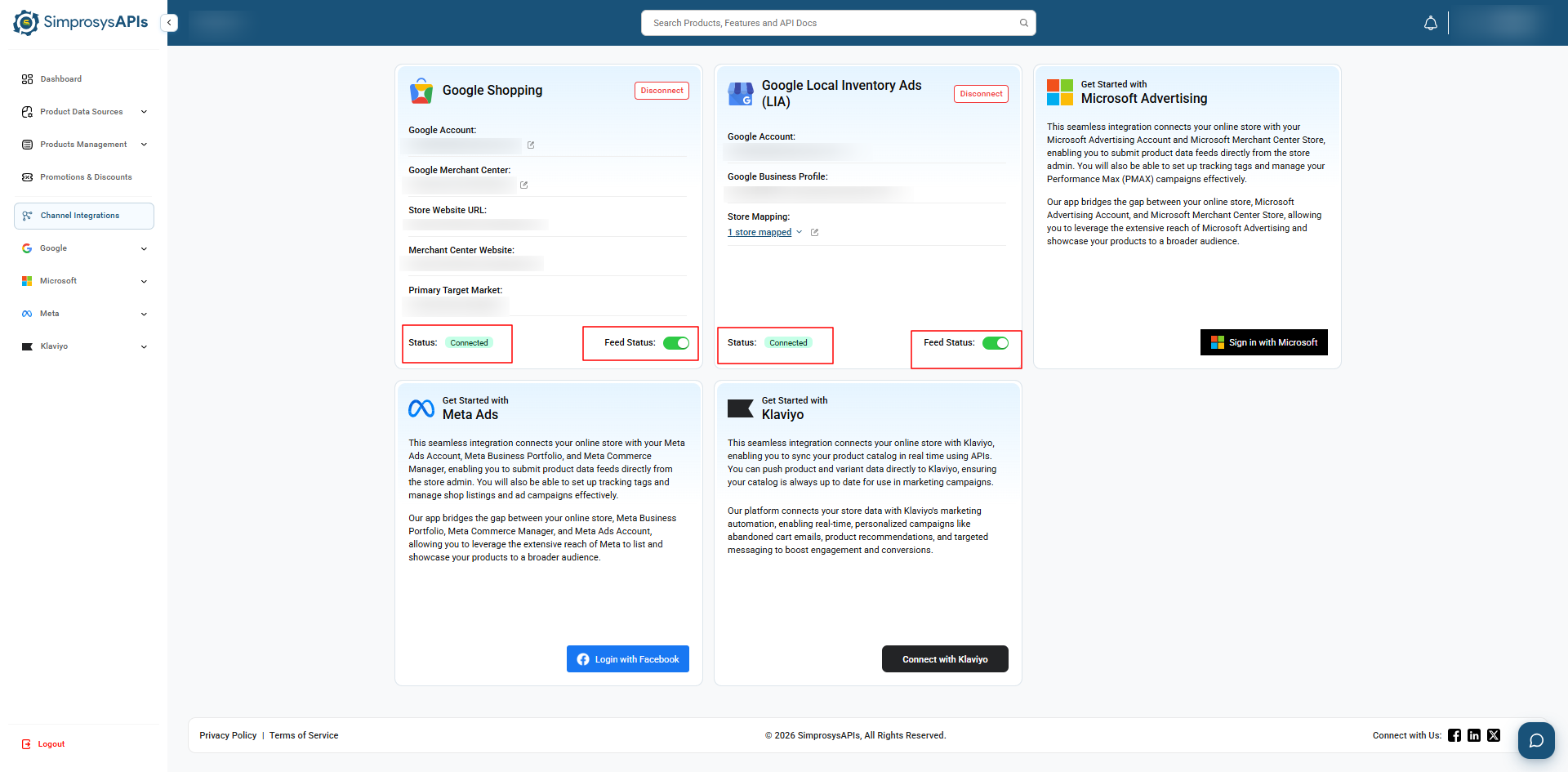
Note: Once a store location has been added, create local inventory at the variant level. You can create inventory data for a single variant or in bulk, with up to 2,000 items per request. See Local Inventory API documentation →
Need help?
For email support, feel free to reach out to us at support@simprosys.com
Previous article

Next article
SimprosysAPIs
Introduction and Account Setup
Channel Integration
Feed Configuration
Product Data Source Setup
Legal Polices
Manage Products