Simprosys Google Shopping Feed
Introduction and Account Setup

Channel Integration
Feed Configuration
Manage Products
Dashboard


Track Product Feed Status and Performance in a Single Dashboard for Your Ecwid Store
Oct 29, 2026
Dashboard
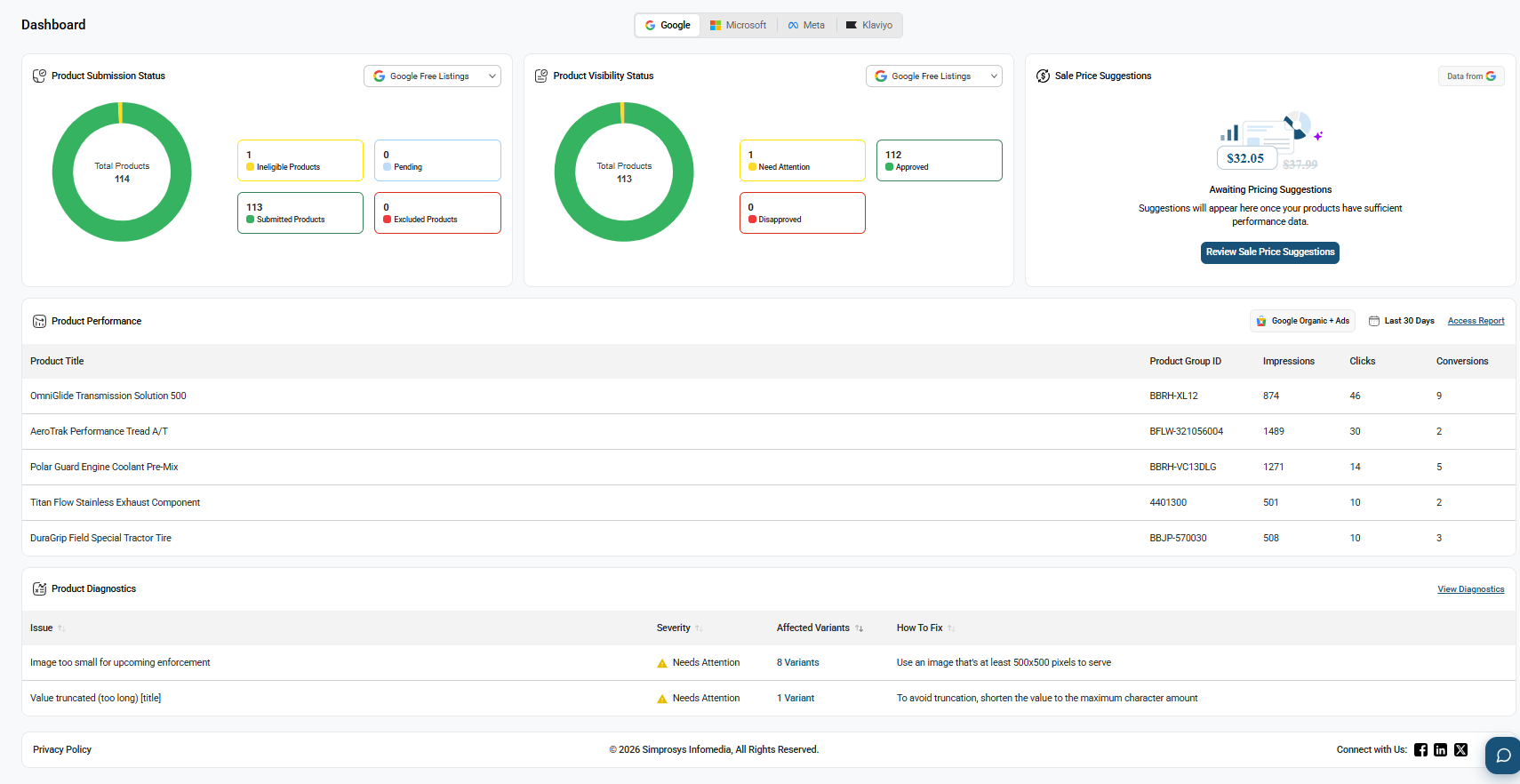
- The Dashboard provides an overview of your product feed, including product submission status, product visibility, sale price suggestions, product performance, and product diagnostics, all in one place.
- Use the channel selector at the top of the Dashboard to switch between connected channels and view the relevant data. You can also select a specific marketing channel within sections from the channel selector dropdown.
Product Submission Status
- The Product Submission Status section provides an overview of products submitted to the selected marketing channel. It shows the Total Products, Submitted Products, Ineligible Products, Pending, and Excluded Products, helping you monitor the status of your product submissions and identify products with submission issues.
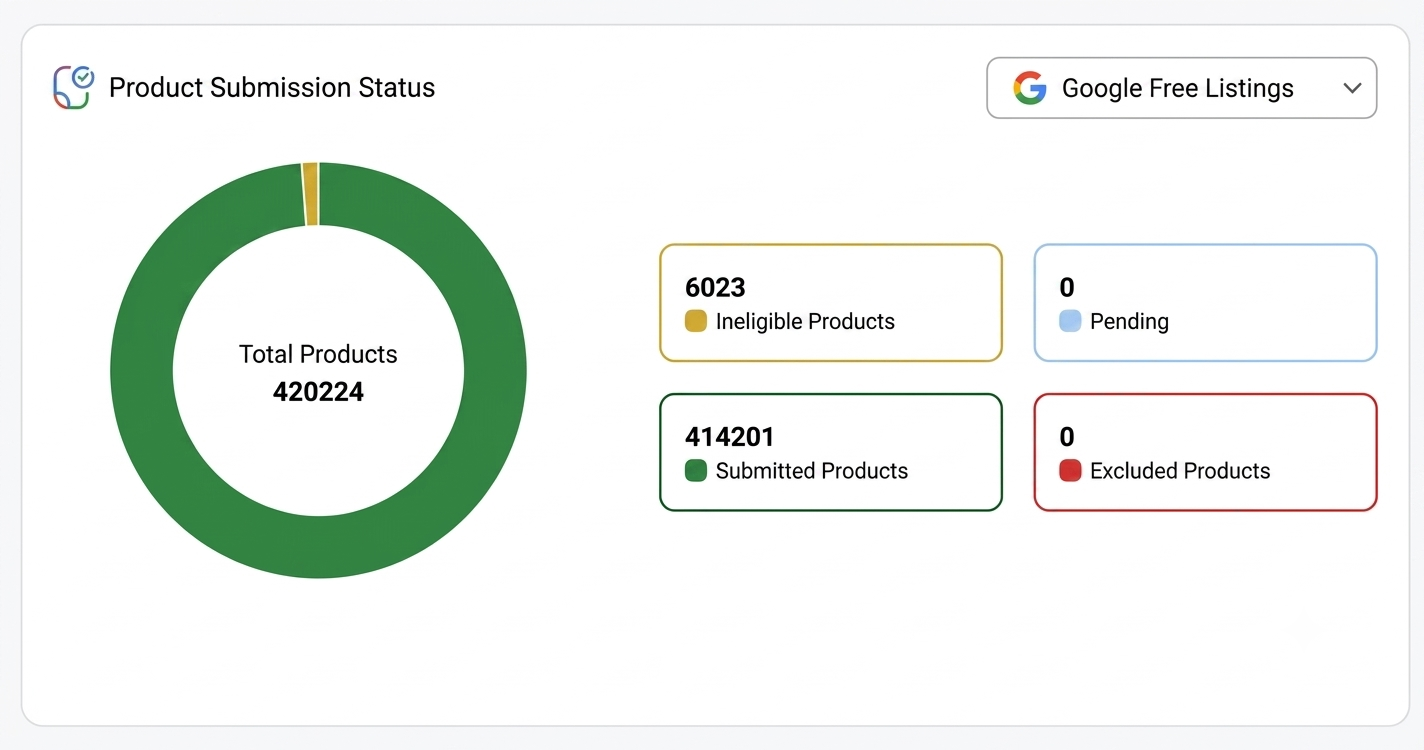
ALT="Track submission status across submitted, ineligible, pending, and excluded products"
Product Visibility Status
- The Product Visibility Status section provides an overview of your products' responses received from the selected marketing channel. It shows the number of Approved, Disapproved, and Needs Attention products, helping you monitor the visibility status of your products.
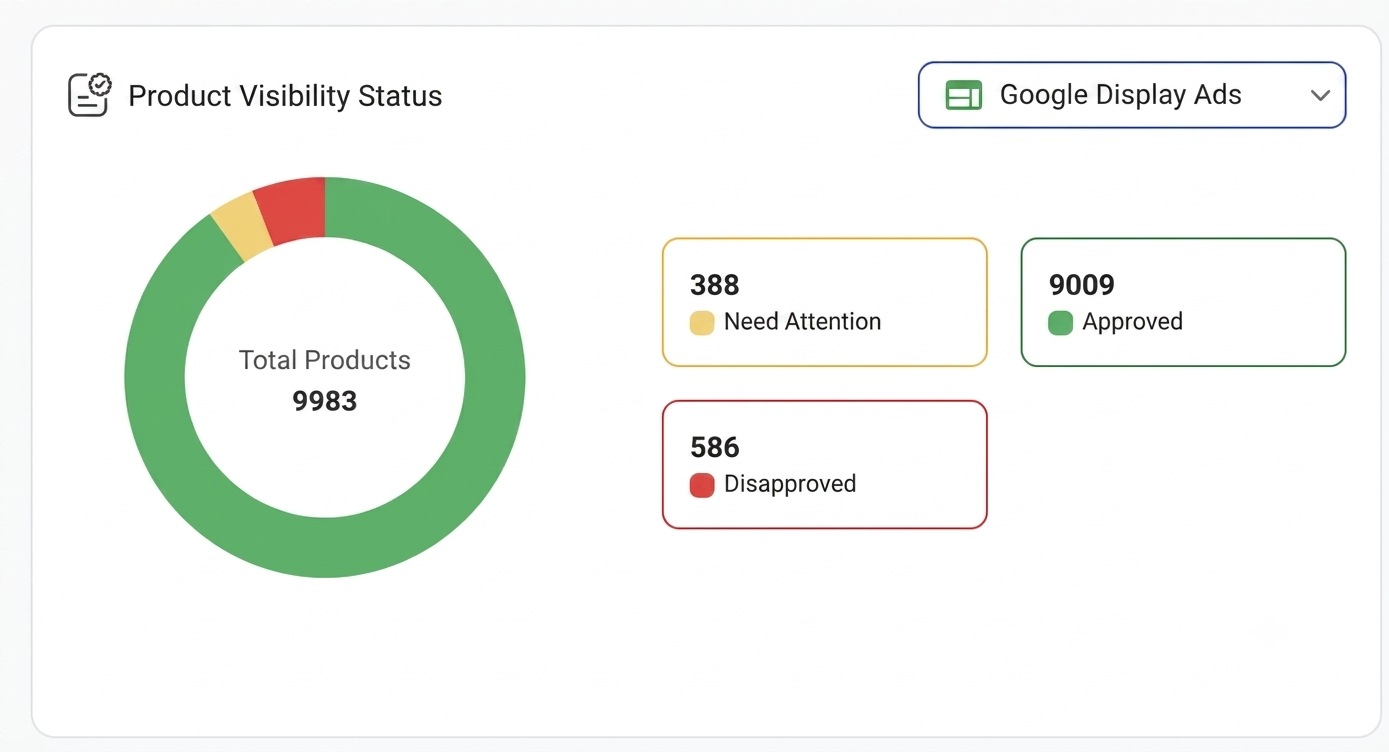
ALT="View approved, disapproved, and needs-attention products at a glance"
Sale Price Suggestions
- The Sale Price Suggestions section displays sale price recommendations based on data from Google to help improve your products' sales performance. It shows the number of variants with price optimization opportunities and provides estimated improvements in conversions and clicks. You can select Review Sale Price Suggestions to view the recommendations.
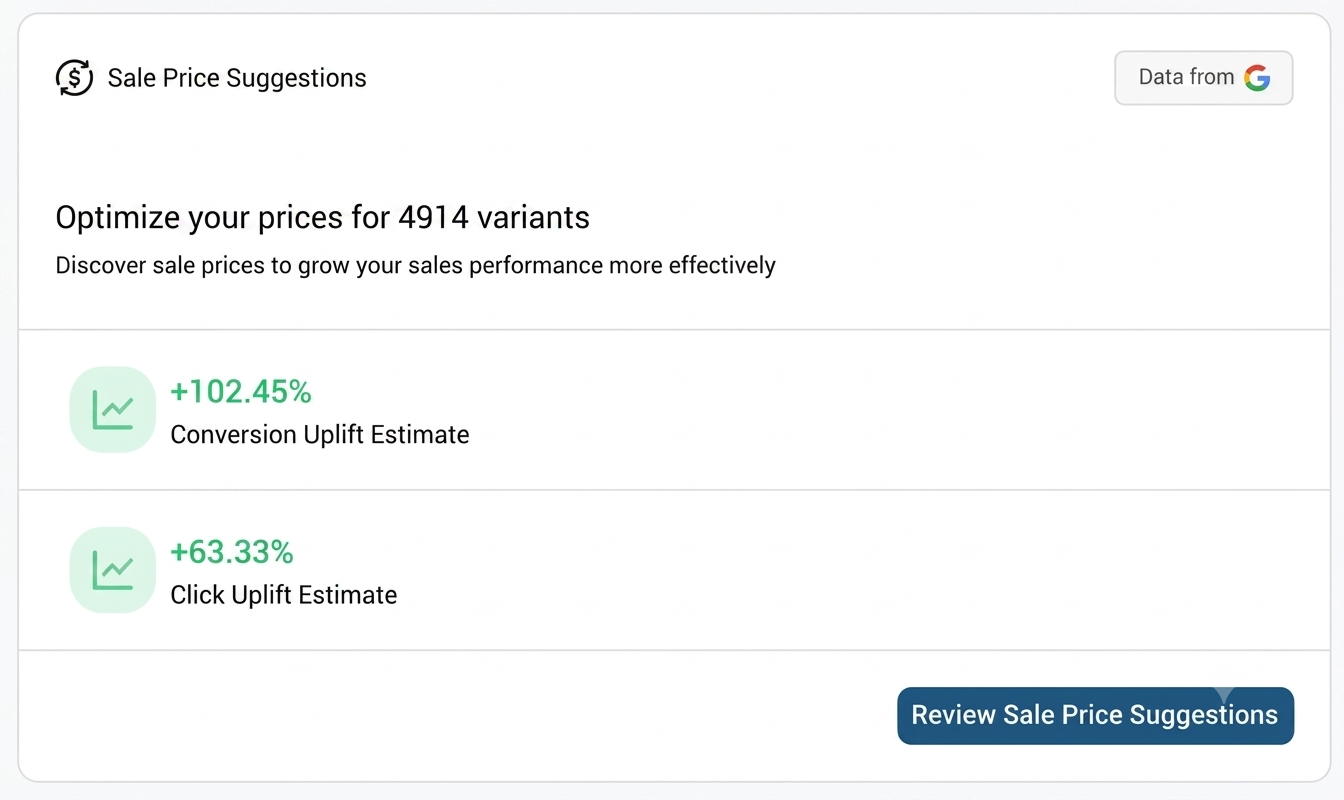
ALT="Review estimated conversion and click uplift from sale price suggestions"
Product Performance
- The Product Performance section displays product performance data for the selected channel and date range, including Product Title, Product Group ID, Impressions, Clicks, and Conversions. Use this information to monitor product performance and identify products with higher impressions, clicks, and conversions.
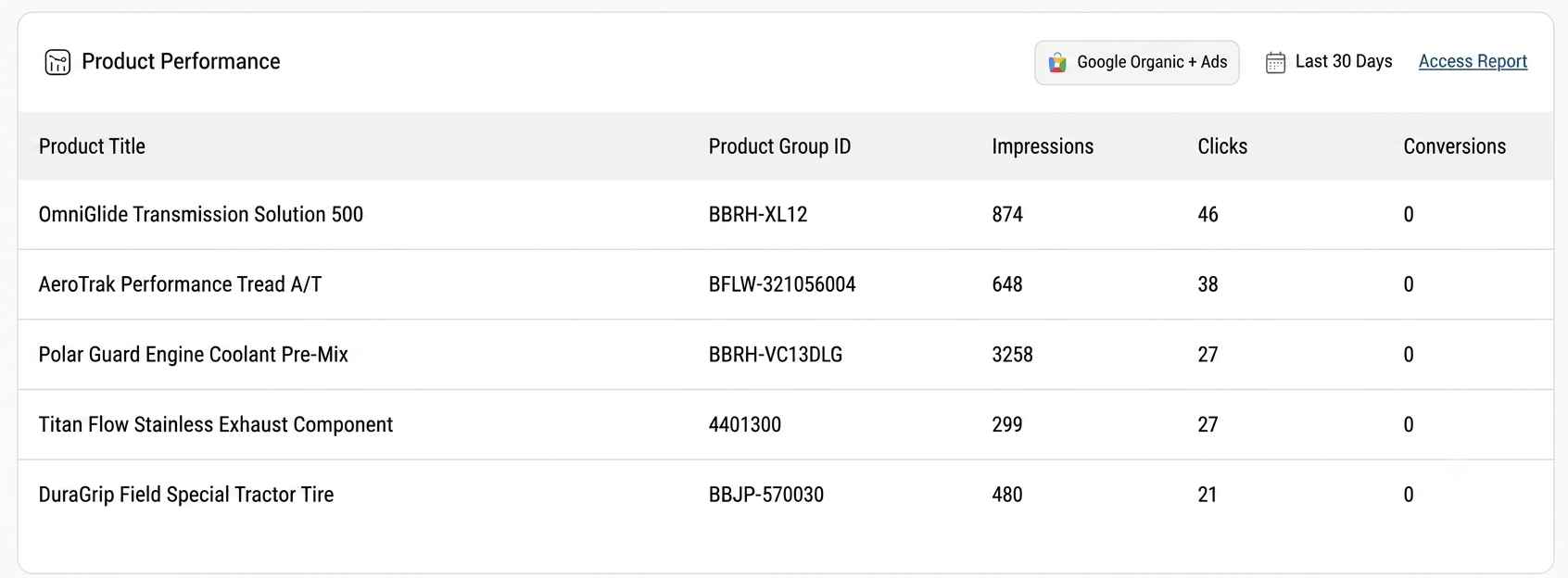
ALT="See which products are getting the most impressions, clicks, and conversions"
Product Diagnostics
- The Product Diagnostics section displays product issues identified by the selected marketing channel. It shows the issue, severity, number of affected variants, and how to fix the issue, helping you identify and resolve product issues that may improve your product performance.
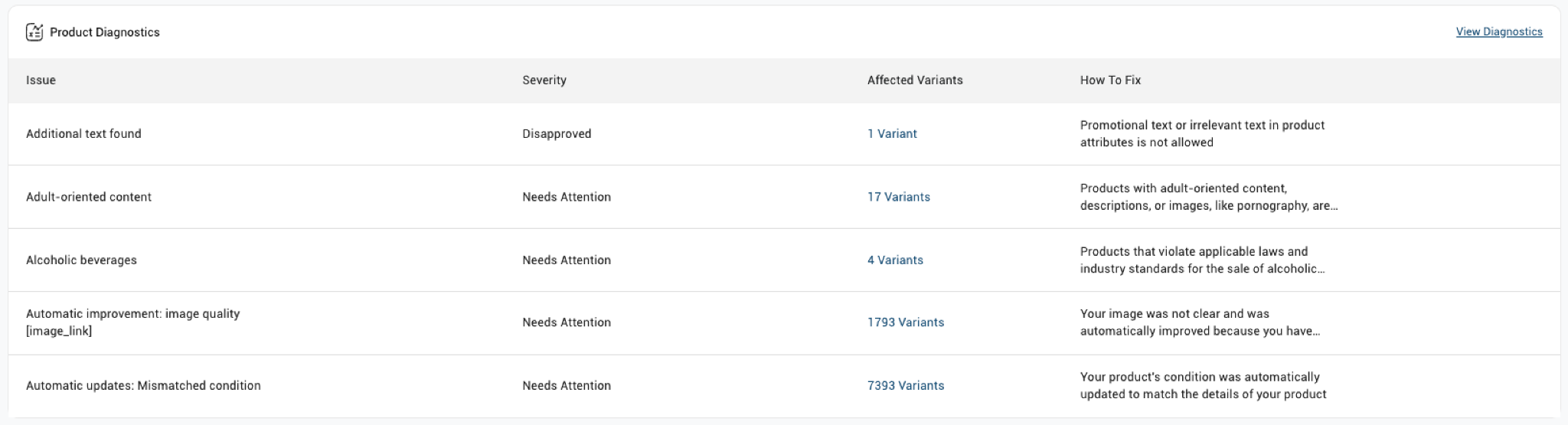
ALT="Identify and fix product issues by severity and affected variant count"

Simprosys Google Shopping Feed
Introduction and Account Setup
Channel Integration
Feed Configuration
Manage Products
Dashboard