Simprosys Google Shopping Feed
Introduction and Account Setup

Channel Integration
Feed Configuration


How to Integrate Your Ecwid Store with Klaviyo - Step-by-Step Guide
Sep 11, 2026
Connecting your Ecwid store to Klaviyo through the Simprosys Google Shopping Feed app allows you to sync your product catalog with Klaviyo. You can use product and variant data in Klaviyo to create personalized email marketing campaigns.
Prerequisites
- Active Klaviyo Account: An active Klaviyo account with administrative access.
Step-by-Step Setup
1. Initiate Integration
- Open the Simprosys Google Shopping Feed app from your Ecwid store.
- From the left navigation menu, click Channel Integrations.
- Locate the Get Started with Klaviyo integration card and click Connect with Klaviyo.

2. Klaviyo Authentication
- A Klaviyo login window will open.
- Enter your Email and Password associated with your Klaviyo account.
- Complete the CAPTCHA verification (if prompted) and click Log in.
3. Grant App Authorization
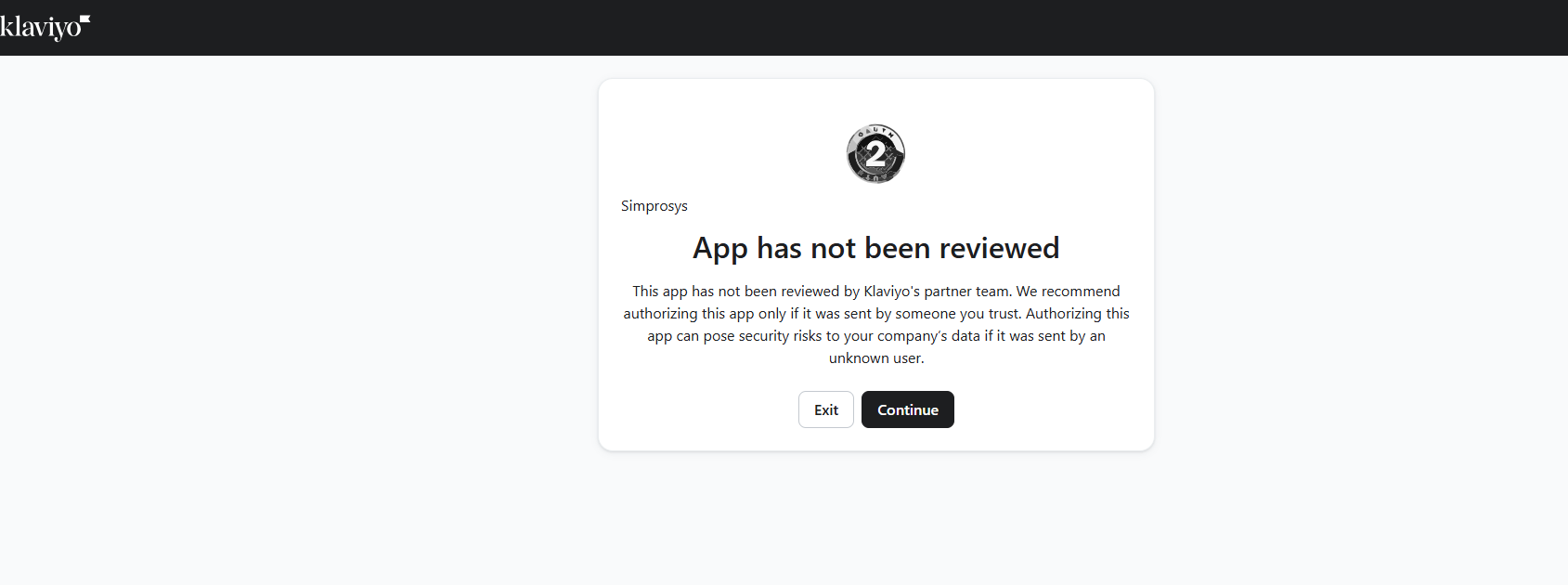
- If a warning prompt appears ("App has not been reviewed"), click Continue to proceed with the integration.
- Review the requested permissions (access to Accounts and Catalogs management).
- Click Allow to grant Simprosys Google Shopping Feed access to your Klaviyo account information.

4. Verify Integration Completion
- Return to the Channel Integrations page.
- Locate the Klaviyo card and verify that:
- Klaviyo Account: Displays your connected account name.
- Organization: Displays your Klaviyo organization name.
- Account ID: Displays your unique Klaviyo account ID.
- Status: Connected
- Feed Status: Toggled to ON

Need help?
For email support, feel free to reach out to us at support@simprosys.com
Previous article

Simprosys Google Shopping Feed
Introduction and Account Setup
Channel Integration
Feed Configuration